
What is Microsoft Office 365 Admin Center?
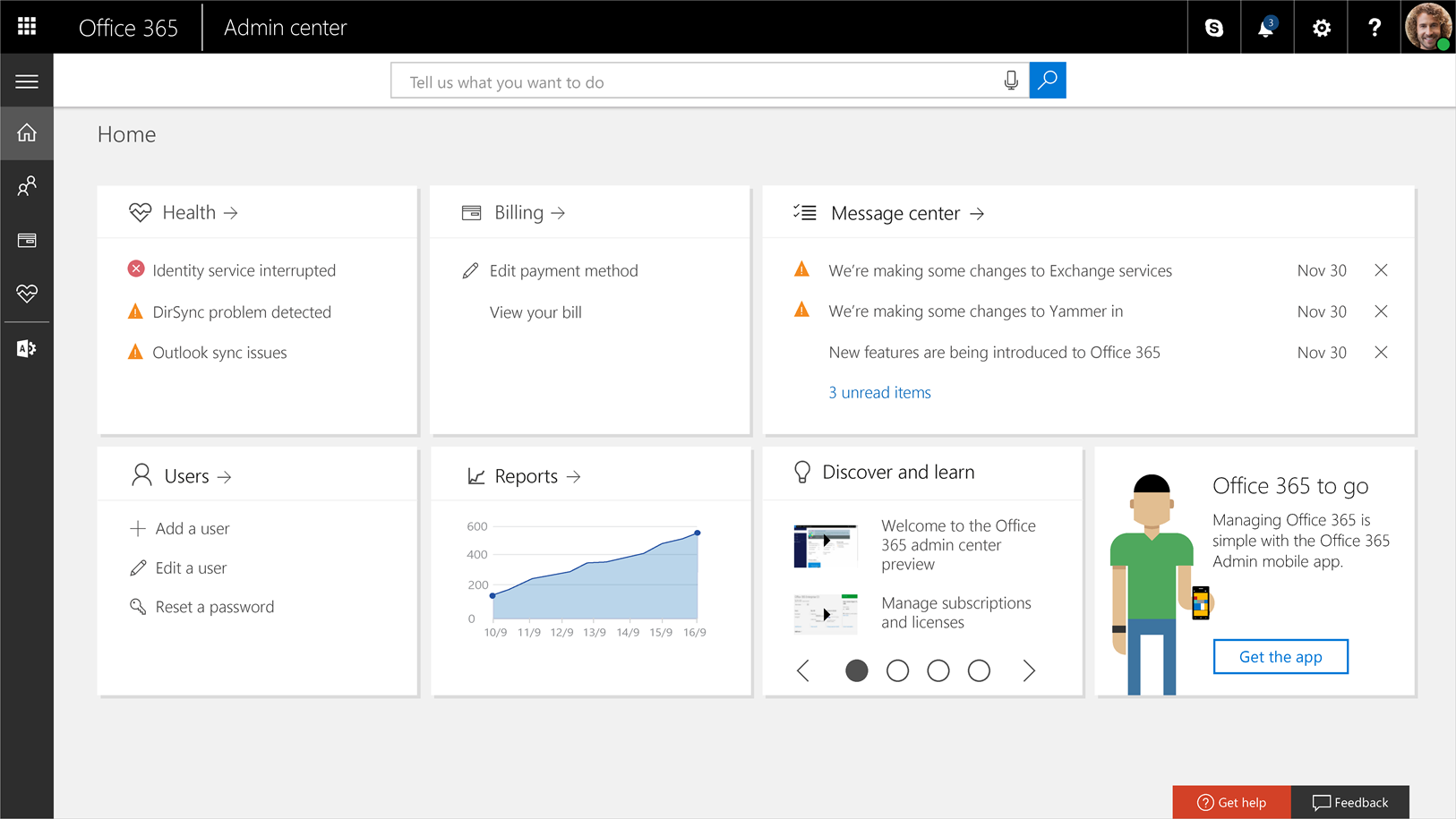
Microsoft 365 Admin Center is the web-based control hub where administrators manage their entire Microsoft 365 environment from one place. Through a single, unified interface, admins can create and manage user accounts, assign licenses, configure apps like Exchange, SharePoint, and Teams, and set up organization-wide security and compliance policies.
The creation of Microsoft 365 Admin Center is because of the complexity of Microsoft 365 administration. It centrally handles a wide range of IT responsibilities, and anyone who has worked with M365 knows how many features and options each license tier includes. With so much to look after, even in the simplest plans, keeping everything tidy and under control can quickly become a challenge.
To help with this, Microsoft provides the Microsoft 365 Admin Center. It brings together a set of tools and resources in one place, so administrators can manage their tenant, users, identity and access, teams, subscriptions, and more from a single, streamlined web interface.
Core Functions of the Admin Center
User Management
The User Management section lets administrators add new employees, remove departed users, or update existing profiles with new details. You can reset passwords, assign specific roles, and distribute licenses to ensure everyone has the right access level for their job.
License Management
License Management gives you full control over your Microsoft 365 licenses across the organization. Admins can purchase new licenses, reassign them between users, and track usage to avoid waste or overages.
Service Health Monitoring
Service Health Monitoring provides real-time status updates on all Microsoft 365 services like Teams, Exchange, and SharePoint. You'll receive alerts and detailed incident reports when services experience outages or performance issues.
Billing and Subscriptions
In Billing and Subscriptions, administrators handle all financial aspects of Microsoft 365. This includes viewing invoices, updating payment methods, managing subscription renewals, and canceling unused plans.
Security & Compliance
Security & Compliance tools help enforce data protection policies and user security standards. Admins can configure MFA, set retention rules, monitor threats, and ensure compliance with regulations like GDPR.
Reports & Insights
Reports & Insights generate detailed analytics on usage, adoption rates, and security trends. Track which apps employees use most, identify underutilized licenses, and spot potential risks through visual dashboards.
Role-Based Access Control (RBAC)
RBAC enables granular governance by assigning specific admin roles like Global Admin, User Admin, or Billing Admin. This follows least-privilege principles, reducing risk while delegating tasks effectively.
Settings Configuration
Settings Configuration centralizes management for key services like Microsoft Teams, Exchange, and SharePoint. Admins can adjust organization-wide policies, domain settings, and app-specific configurations from one place.
What key features have been updated in the Microsoft 365 admin center in 2025?
AI Administrator role
The AI administrator role is a new, specialized admin role in the Microsoft 365 admin center introduced at the beginning of the year. It focused entirely on Copilot and AI-related services. Instead of spreading AI controls across different admin roles, Microsoft groups them under this role and exposes everything through the Copilot page, which acts as the central hub for Copilot management.
With this role, an admin can manage Microsoft 365 Copilot end-to-end, including AI-powered enterprise services and agents, from the Integrated apps area. They can also oversee app installation and configuration, install apps for users, and read and configure service health dashboards for Azure and Microsoft 365, keeping an eye on how AI services are running.
AI administrators also get access to rich insights and support options. They can view usage and adoption reports, organizational insights related to AI, and create or manage support tickets both in Azure and the Microsoft 365 admin center. Over time, this role is intended to cover not just Copilot but a broader set of AI-driven capabilities, giving organizations one clear owner for their AI governance and operations.
The AI Administrator role currently has limited capabilities. For complete administrative control, the Global Admin role is recommended until AI Administrator gains full functionality. Microsoft is actively working to expand its features and support.
Exchange Web Services usage report
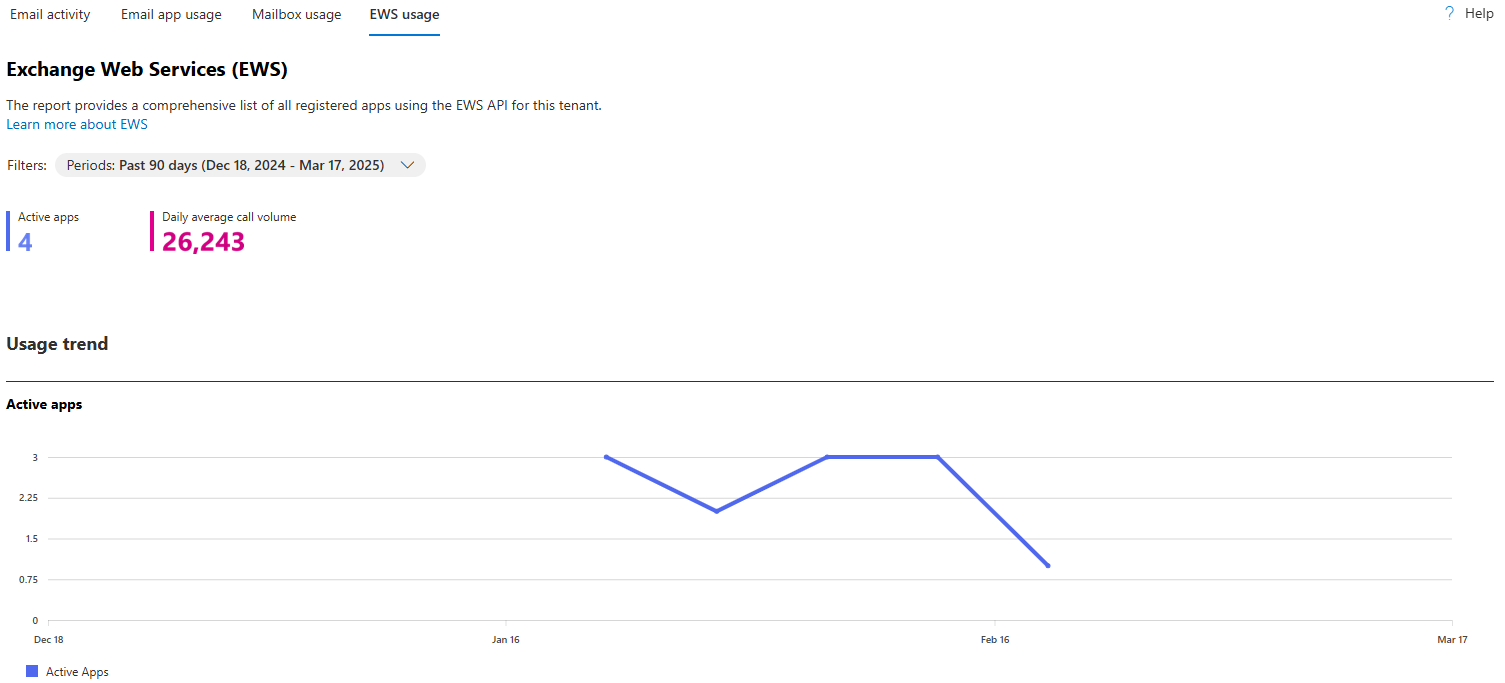
The Microsoft 365 admin center now includes a dedicated Exchange Web Services (EWS) usage report that shines a light on third‑party apps using EWS in your tenant. This report focuses on non‑Microsoft applications that connect via EWS, helping you see exactly which tools are still dependent on this legacy API.
For each app, the report breaks down what actions it performs and how many calls it makes over a chosen time period. That level of detail makes it much easier to understand actual EWS usage patterns before EWS is deprecated in Exchange Online, so you can plan migrations, replacements, or mitigation steps with real data instead of assumptions.
Copilot Search admin experience
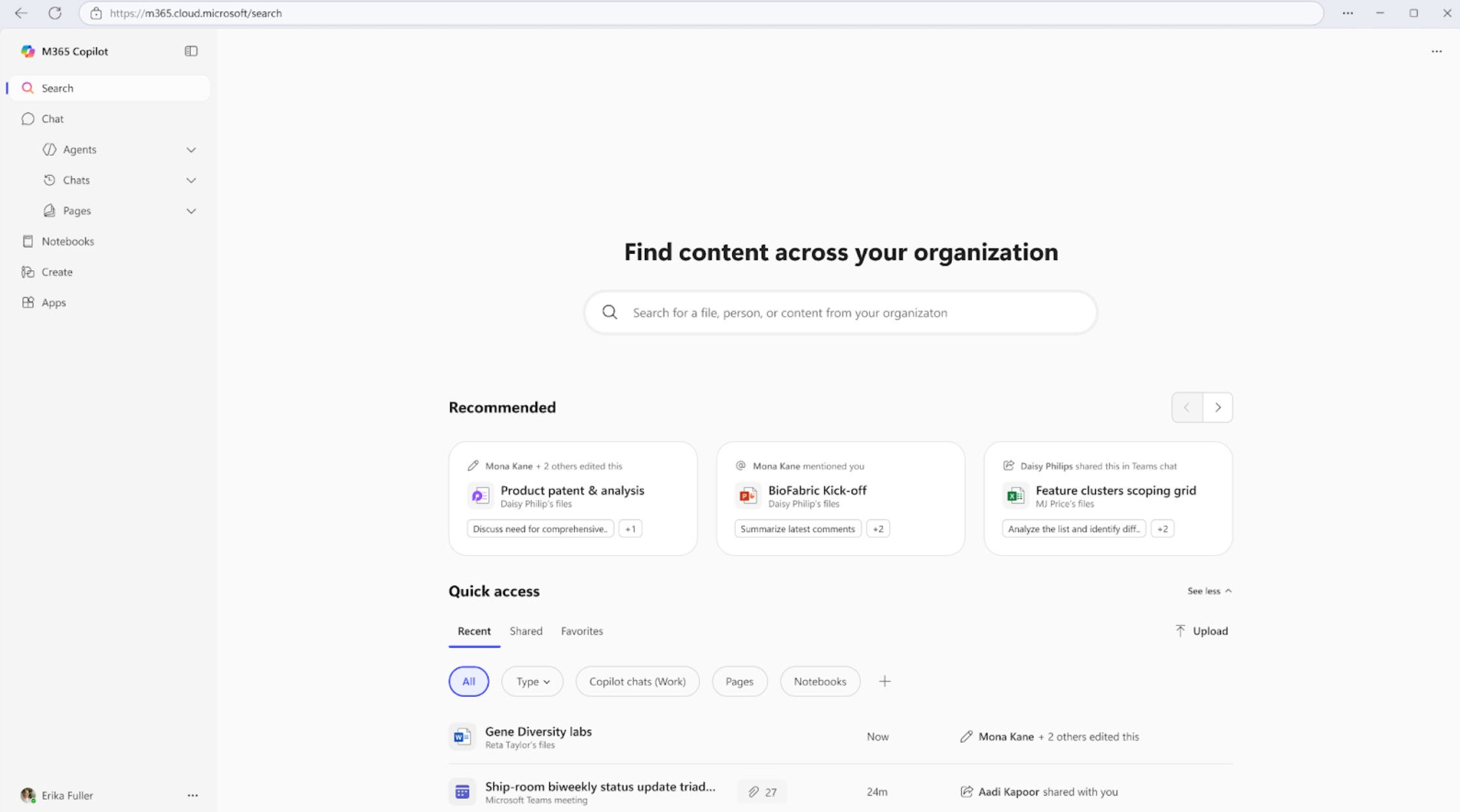
In June 2025, the Copilot Search admin experience was introduced. It gives administrators a dedicated place to configure and optimize search behavior across the organization. The first wave of capabilities focuses on Acronyms and Bookmarks to make internal search more intuitive and helpful for users.
With Acronyms, admins can define and manage organization-specific shorthand that employees use every day. You can upload a list of acronyms in bulk via CSV or add them one by one. Once configured, these acronyms become discoverable across
Microsoft Search endpoints, like SharePoint, help users understand internal terms and find the right resources more quickly.
Bookmarks allow admins to surface key links directly in search results, acting like “pinned” answers for common queries. You can create bookmarks that point to important tools, sites, or documents that people rely on frequently. Each bookmark can have a custom title, URL, description, and audience targeting so that different groups see the most relevant shortcuts for their work.
Together, Acronyms and Bookmarks help ensure users spend less time guessing keywords and more time finding what they actually need. By aligning search results with the language and resources of your organization, the Copilot Search admin experience makes Microsoft 365 search feel more contextual, predictable, and tailored to your environment.
Conclusion
The latest enhancements turn Microsoft 365 Admin Center into a smarter, more strategic console for IT. Admins gain clearer ownership of AI, better data for deprecations and migrations, and tighter control over search and user experience. The result is less operational friction, stronger governance, and a safer, more efficient path to adopting Copilot and other AI features across the organization.
Explore more AI solutions by talking to our consultant at Precio Fishbone.
What is the billing section in the Microsoft 365 Admin Center used for?
The billing section in Microsoft 365 Admin Center lets admins handle subscriptions and licenses, as well as view invoices and monitor payments for the organization.
What are targeted releases in the Microsoft 365 Admin Center?
Targeted releases in Microsoft 365 Admin Center let admins roll out new features early to selected user groups, so they can test, prepare, and train people before changes reach the entire organization.
How can I customize my experience in the Microsoft 365 Admin Center?
Admins can tailor the Microsoft 365 Admin Center by pinning their most-used actions to the dashboard and switching between a simplified or full, detailed view based on what their organization requires.
Share this on

Jerry Johansson
Works in IT and digital services, turning complex ideas into clear, engaging messages — and giving simple ideas the impact they deserve. With a background in journalism, Jerry connects technology and people through strategic communication, data-driven marketing, and well-crafted content. Driven by curiosity, clarity, and a strong cup of coffee.