At Microsoft Ignite 2025, Microsoft was clear about where Copilot gets its grounding. In the SharePoint team’s own messaging, SharePoint is Copilot’s number one grounding source, and the grounding volume from SharePoint exceeds email by roughly two orders of magnitude.
They also shared scale metrics at Ignite 2025 that make one thing clear: Copilot readiness is not a small clean-up task. Roughly 2 million SharePoint sites are created every day, and 2 billion files are added. Another 3 billion workflows run weekly against SharePoint content.
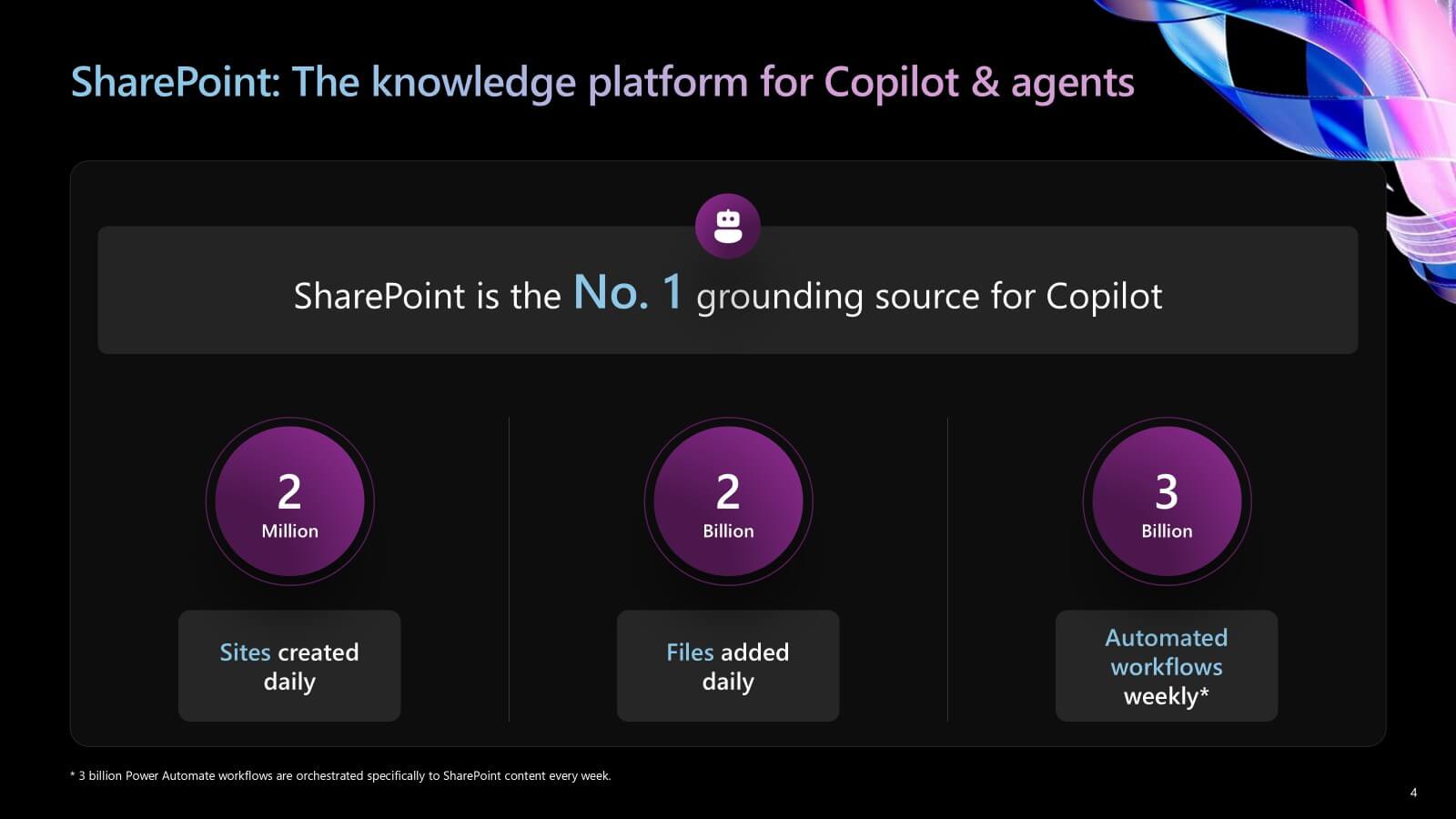
This is the context behind the latest SharePoint updates: when Copilot depends on SharePoint at this scale, inconsistencies in information architecture, metadata, permissions, and publishing patterns quickly show up as inconsistent answers.
That is why, in this guide, we focus on the specific SharePoint capabilities Microsoft has recently launched that most directly improve Copilot answer quality, and the practical implications for SharePoint admin and technical leaders.
Why SharePoint Lifts Copilot Answer Quality
Most “Copilot questions” really boil down to two problems: finding the right source and then summarizing it correctly. SharePoint tends to outperform other sources because it provides more structure for grounding, not just more content.
Microsoft has emphasized that Copilot can use SharePoint signals like library metadata and the richness of Office files, and that this grounding respects the same security controls your tenant already depends on, including permissions, sensitivity labels, DLP policies, and access controls.
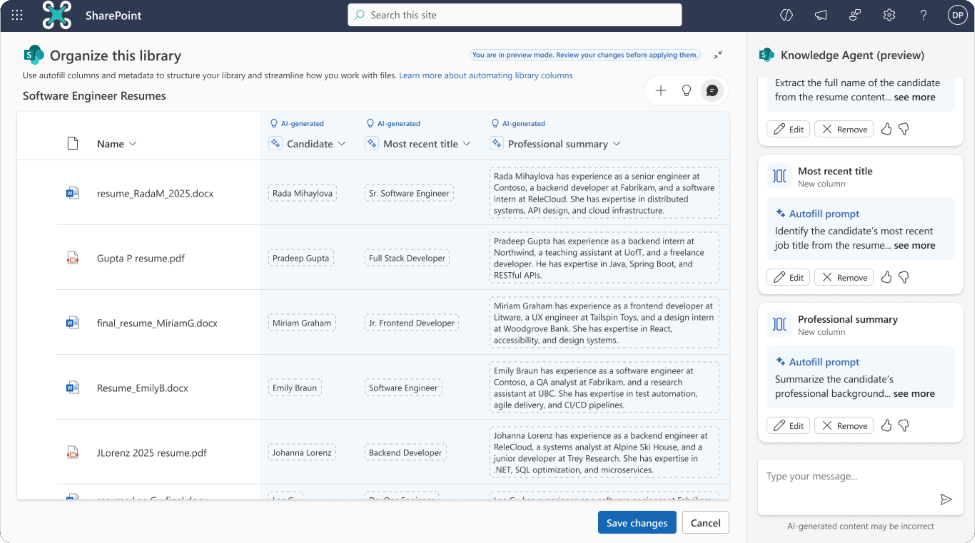
The most practical SharePoint admin takeaway is that answer quality improves when SharePoint gives Copilot clearer signals to use for grounding. That includes consistent site patterns, predictable library design, and metadata that is used. Microsoft explicitly called out that Copilot can reason over document library metadata and bring it into Copilot experiences and position this as a meaningful quality improvement for how Copilot grounds responses.
Microsoft also highlighted that SharePoint content experiences (like modern pages and intranet knowledge) are part of this same grounding advantage, because they reduce ambiguity and make “what is the current truth” easier for Copilot to detect.
Knowledge Agent in Preview
Microsoft’s Knowledge Agent is currently in public preview. Microsoft has also shared two rollout details that matter for admins: the preview can be enabled site by site, and the feature is expected to be included with the Microsoft 365 Copilot license when it reaches general availability, currently targeted for 2026.
For readiness planning, the bigger point is what Knowledge Agent represents. Microsoft is moving AI closer to where SharePoint work happens, inside sites and libraries, rather than treating SharePoint as something Copilot only reads from the outside.
That shift makes content hygiene more important. If your sites are cluttered, outdated, or inconsistent, an agent will not solve the problem. It will surface the same issues faster.
Creating Pages & Lists from Copilot Chat
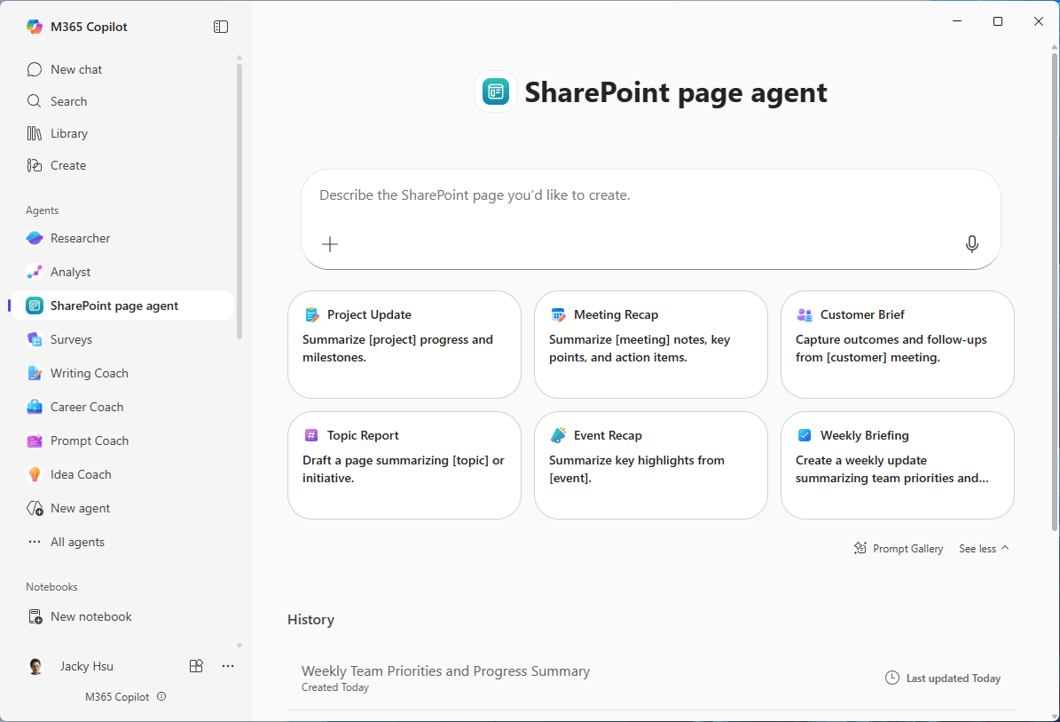
Microsoft is making it easier to turn everyday work into SharePoint content without leaving Copilot Chat. Microsoft 365 Copilot is evolving into a content creation destination, and SharePoint content like pages and lists are now available to create directly from Copilot chat. Instead of starting a SharePoint site, users can begin in Microsoft 365 Copilot, describe what they want, and publish a structured page or list directly to the right place.
A key part of this experience is the SharePoint Page Agent. Users can add it from the Agent Store and ask it to create a SharePoint page, such as a news post or project update. The agent drafts the page, helps refine it, and publishes it to the selected SharePoint site. This helps reduce a lot of repetitive work.
Microsoft is also extending the same idea to SharePoint lists. Users can ask Copilot to create a list that captures structured information, then place it on the right site so it can be maintained and reused. In practice, pages become the narrative layer and lists become the structured layer, which helps teams keep knowledge clearer for both people and Copilot.
Availability is important to set expectations. Microsoft describes this capability as available via the Frontier program, so it is not broadly available to every tenant by default.
For admins, that means this is a good time to think about governance early, including which sites should be allowed as publishing targets, what templates should be used, and how to prevent page and list sprawl as creation gets easier.
Access & Admin Updates for SharePoint Agents
Microsoft’s message is that SharePoint is no longer just a repository Copilot reads. It is also becoming a place where agents are created, discovered, and governed. Microsoft describes SharePoint-based agents becoming available through broader Microsoft 365 discovery surfaces, including the agent store experience, and being shareable into Teams contexts (channels, chats, meetings).
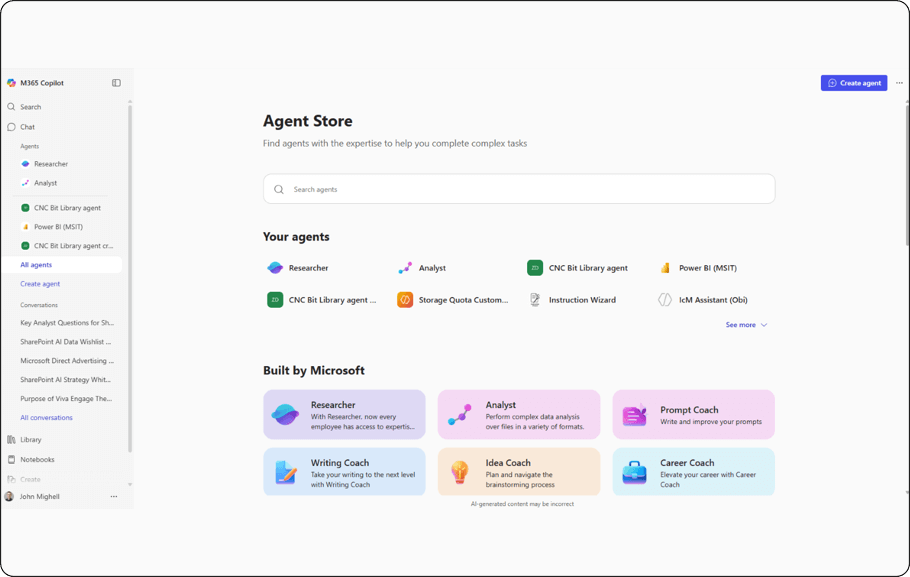
For SharePoint admin and technical leaders, governance is a real story. Microsoft states that SharePoint agents can show up in the Microsoft 365 admin center with the ability for admins to block or unblock them. This matters because it creates a clearer operational boundary: you can allow experimentation while still retaining a centralized control plane.
Microsoft also pointed to usage reporting for agents as part of the admin story. Even for teams that are not “all in” on agents yet, this is important for Copilot readiness because it gives you a way to identify which agents are driving value and which ones are driving confusion or risk.
Other SharePoint Updates at Ignite
Not every SharePoint update is branded as “Copilot,” but several of them influence the same outcome: whether your content is governed, current, and easy for Copilot to interpret.
As an Ignite 2025 highlight, these SharePoint updates focus on governance, freshness, and structured knowledge.
Microsoft announced a SharePoint Admin Agent in public preview, designed to monitor inactive sites, oversharing, and permissions to sprawl. It can apply governance actions such as archiving or access adjustments. Microsoft positions this to simplify governance at scale as Copilot adoption grows.
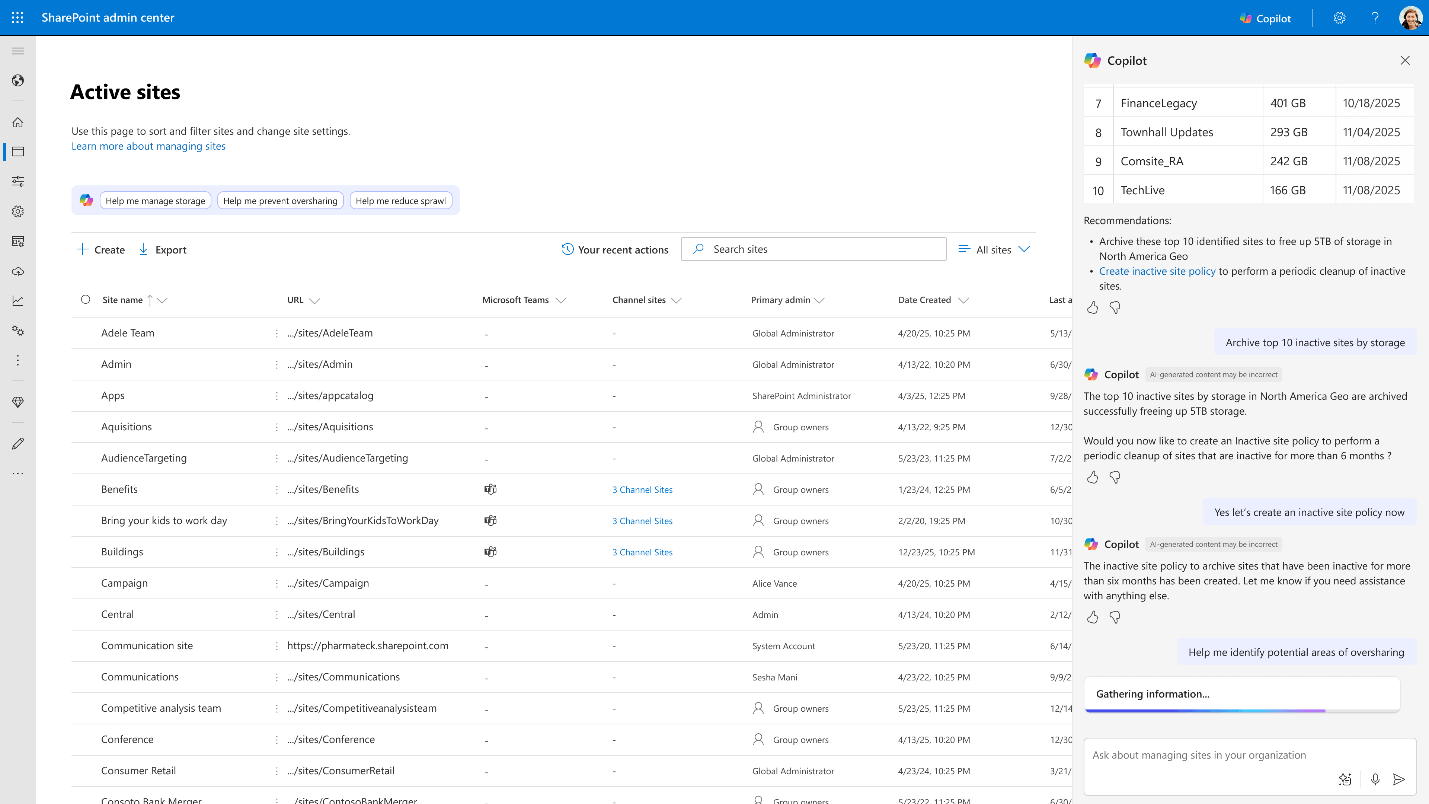
SharePoint Admin Agent experience in the SharePoint Admin Center.
Microsoft also shared updates to the SharePoint FAQ web part that are directly relevant to answer quality because they aim to keep knowledge current. Preview capabilities include AI-suggested updates (based on reference content changes or new visitor questions), the ability to ground answers in SharePoint pages, and direct links to specific Q&A entries.
On the operations side, Microsoft highlighted Pay-As-You-Go storage as “coming soon,” positioned to set budgets and control costs and integrate with Archive for Lifecycle Management.
Conclusion
This guide is intended to clarify why SharePoint is central to Copilot grounding, and which Microsoft updates are most likely to improve answer quality in real environments.
If you want to move from awareness to execution, Precio Fishbone can help you prioritize the SharePoint changes that materially impact Copilot quality, strengthen governance, and build a readiness roadmap that is realistic for your tenant’s scale.
Share this on

Jerry Johansson
Works in IT and digital services, turning complex ideas into clear, engaging messages — and giving simple ideas the impact they deserve. With a background in journalism, Jerry connects technology and people through strategic communication, data-driven marketing, and well-crafted content. Driven by curiosity, clarity, and a strong cup of coffee.