
What is Microsoft 365 Agents Toolkit?
Microsoft 365 Agents Toolkit is the next step after Microsoft Teams Toolkit, built to support developers in creating agents and applications for Microsoft 365 Copilot, Microsoft Teams, and the wider Microsoft 365 platform.
It provides an end‑to‑end toolchain to create, build, debug, test, and deploy Microsoft 365 agents and apps, while simplifying development through built‑in Microsoft 365 identity, cloud storage access, Microsoft Graph data, and other Azure services using a “zero‑configuration” model.
Developers can use Agents Toolkit in Visual Studio Code, Visual Studio, and GitHub Copilot, or work with it via a dedicated command-line interface (CLI).
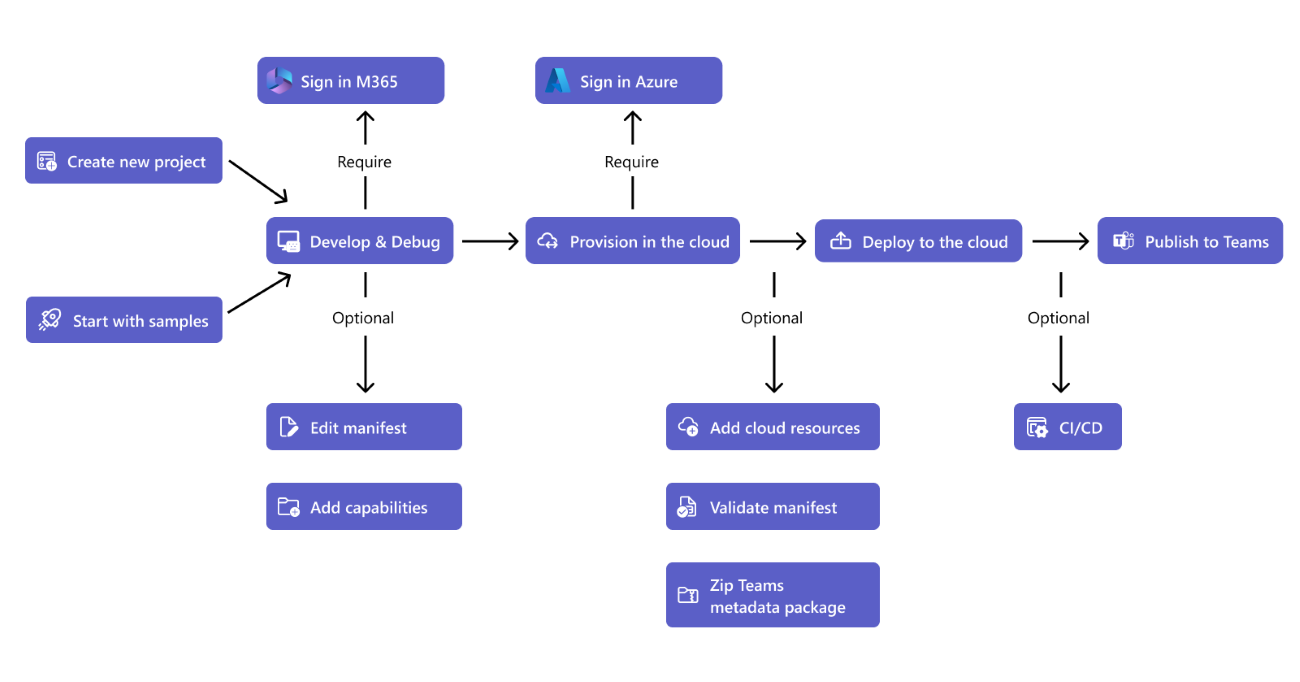
Microsoft 365 Agents Toolkit brings together all the core building blocks needed to build enterprise-ready agents for Microsoft 365. At its heart, it provides an agent runtime with the execution environment where the agent runs, handles requests, coordinates tools, and an agent schema (the structured way to describe the agent’s capabilities, inputs, and outputs so they’re consistent and machine-readable).
The toolkit also supports skills integration, allowing agents to plug into reusable capabilities such as calling APIs, running workflows, or invoking business logic. On top of that, Copilot Foundations gives patterns, scaffolding, and guidelines, so the agents behave consistently with Microsoft 365 Copilot experiences, including how they reason, call tools, and respond.
For developers, a Microsoft 365 Agents Toolkit extension for Visual Studio Code is included, so projects can be created, configured, and debugged within VS Code with minimal setup. Additional tools for prompts, memories, and orchestration help design prompt flows, persist in context across interactions, and coordinate multiple tools or skills in a controllable way, which is critical for predictable enterprise agents.
Security is built in through secure Graph API access, meaning agents can safely read and write Microsoft 365 data under the signed-in user or app identity, honoring permissions, consent, and policies from Microsoft Entra ID. This avoids hard‑coding secrets or bypassing existing access controls and helps keep data access auditable and governed.
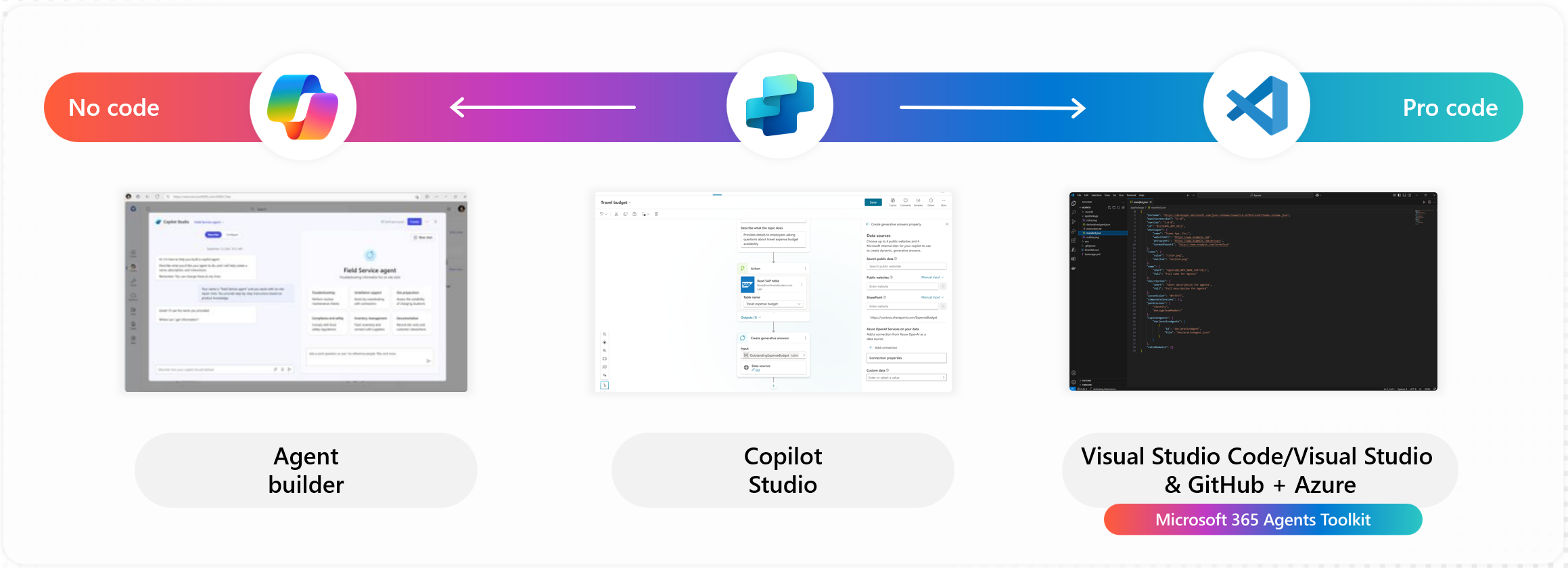
Using these components, the toolkit enables agents that can read and update Microsoft 365 data, for example, emails, calendars, and files in a governed manner. They can also trigger flows and processes, such as starting Power Automate flows, kicking off approval workflows, or integrating with line-of-business systems through connected services.
Agents built with the toolkit can respond directly, appearing as bots or message extensions, so users can interact with them where they already collaborate. They support enterprise authentication, using Microsoft Entra ID for sign‑in and token acquisition, so the agent acts on behalf of the user or application within corporate security boundaries.
Finally, these agents are designed to follow service‑level security, respecting organization policies, compliance requirements, and role-based access, while still allowing custom logic and custom skills to be added. This means it can encode its own business rules, domain‑specific workflows, and integrations without losing the benefits of Microsoft’s underlying security and governance model.
Microsoft 365 Toolkit MCP Server
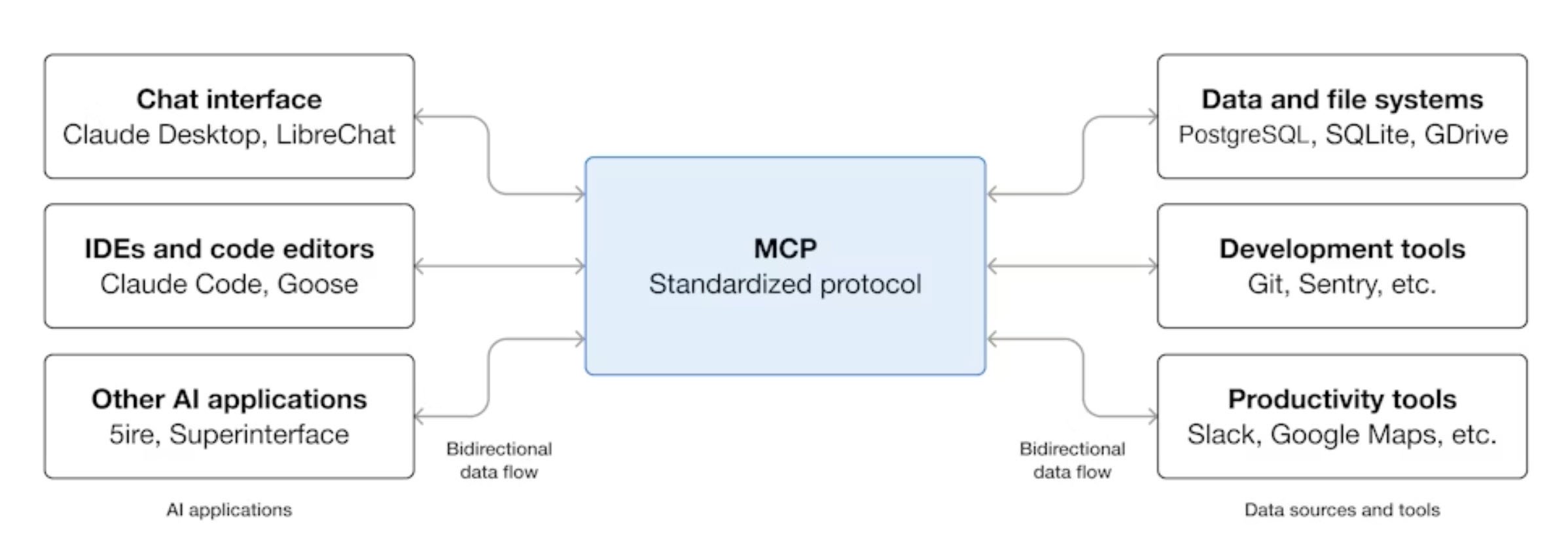
This is a local Model Context Protocol (MCP) server that serves as a direct bridge between your AI coding agents and the Microsoft 365 Agents Toolkit. It empowers developers to create apps and agents specifically for Microsoft 365 and Microsoft 365 Copilot, delivering a superior AI-powered development experience throughout the entire lifecycle from planning and building to testing and deployment.
It also enables seamless integration with GitHub Copilot Chat in Agent Mode, along with other AI-powered coding tools. This setup lets you build, test, and deploy your apps much faster than traditional methods. No more disjointed workflows or manual handoffs between different platforms.
Whether you're developing an agent for Microsoft 365 Copilot, enhancing a Teams app with AI capabilities, or exploring multi-agent orchestration experiments, the Microsoft 365 Agents Toolkit MCP Server provides the reliable foundation you need. It handles all the complex connections behind the scenes so that you can focus purely on innovation and getting results.
Key Benefits for Businesses
Lightning-fast task execution
Agents handle repetitive work like filing updates, pulling reports, checking data, or kicking off approvals instantly without waiting for human input.
Powered by Microsoft Graph's full data universe
Tap into emails, files, calendars, tasks, user profiles, Planner boards, SharePoint lists, OneNote pages, and even Teams messages through secure Graph APIs. Gartner notes Graph gives agents contextual awareness that generic bots lack, enabling smarter decisions.
Secure from the ground up
Agents inherit Microsoft 365 identity system, respecting every tenant policy, permission, and audit trail automatically.
Simple to build and deploy
The Toolkit automates the heavy lifting: permissions, API wiring, scaffolding, debugging, and even local testing.
How to Build Your Agents with Microsoft 365 Agents Toolkit?
For the very first step, it has to be installed.
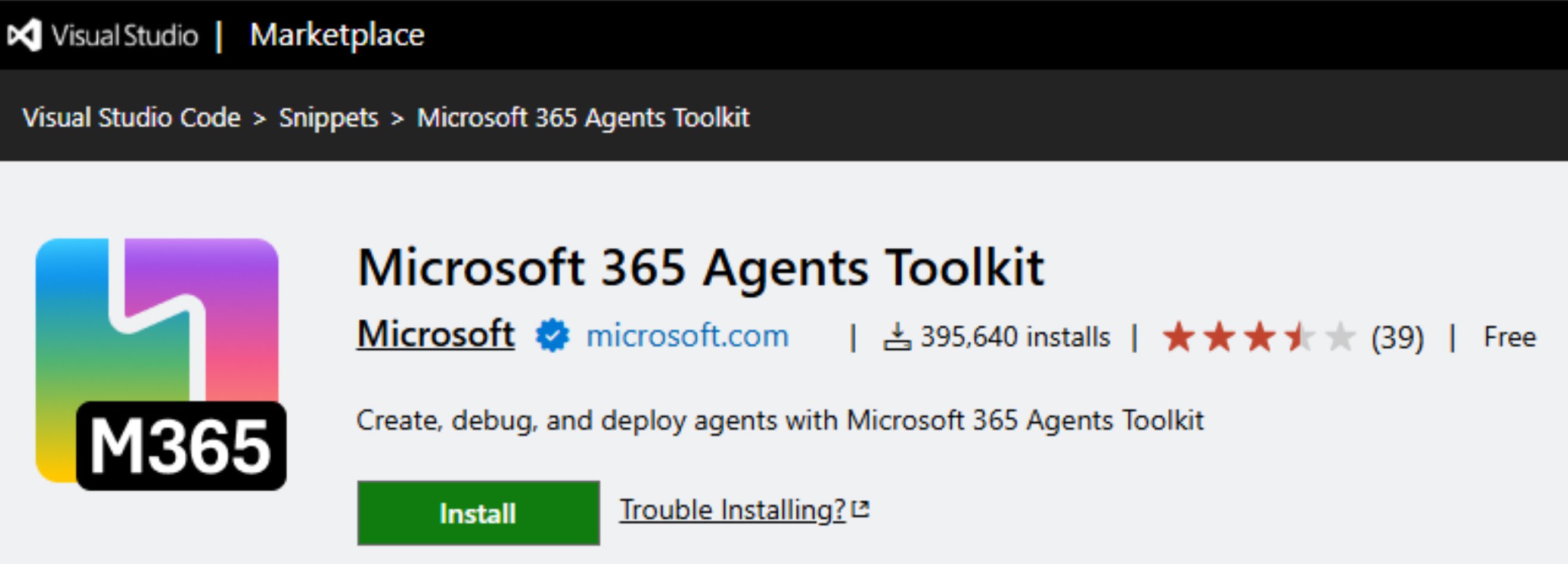
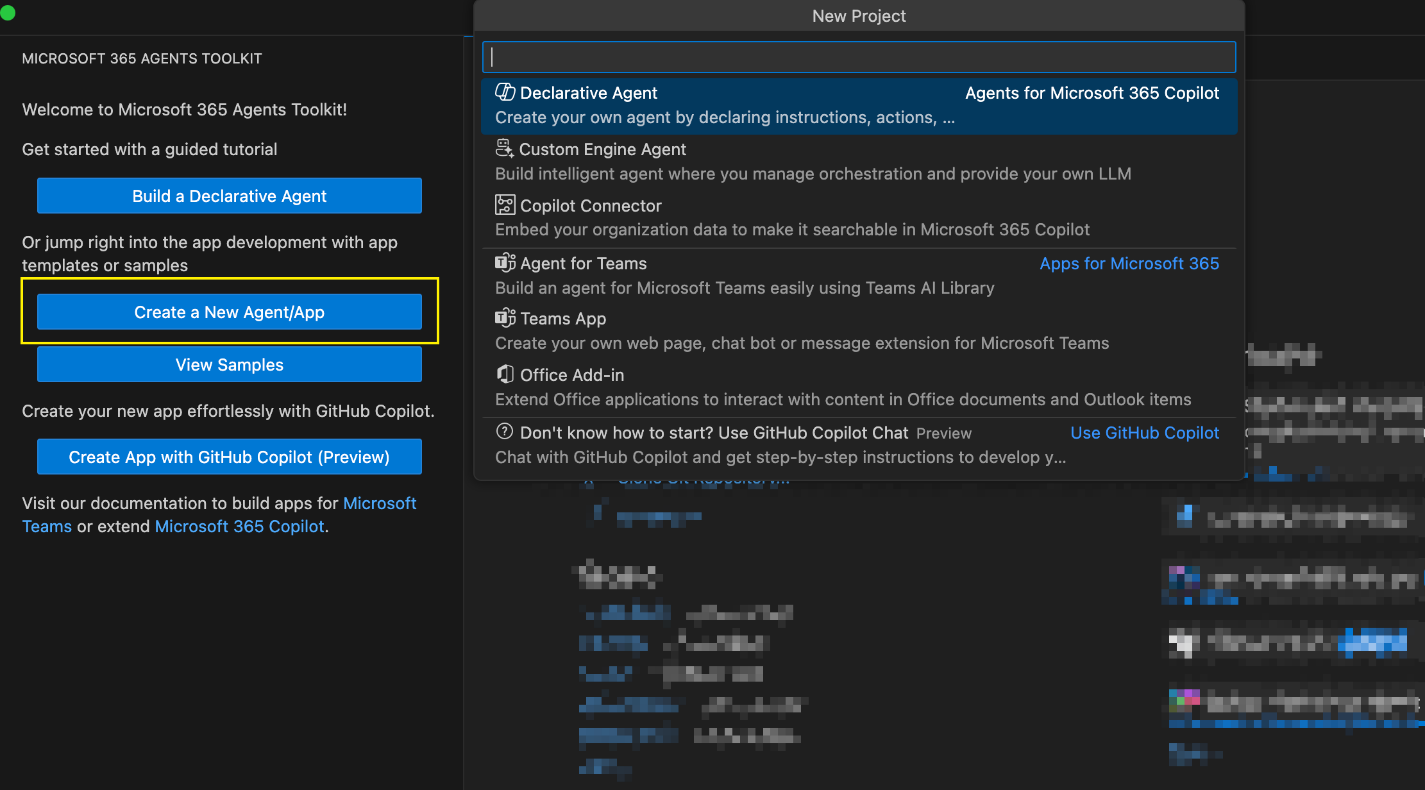
Launch Microsoft 365 Agents Toolkit, create a new agent or app project, and then move to start your code.
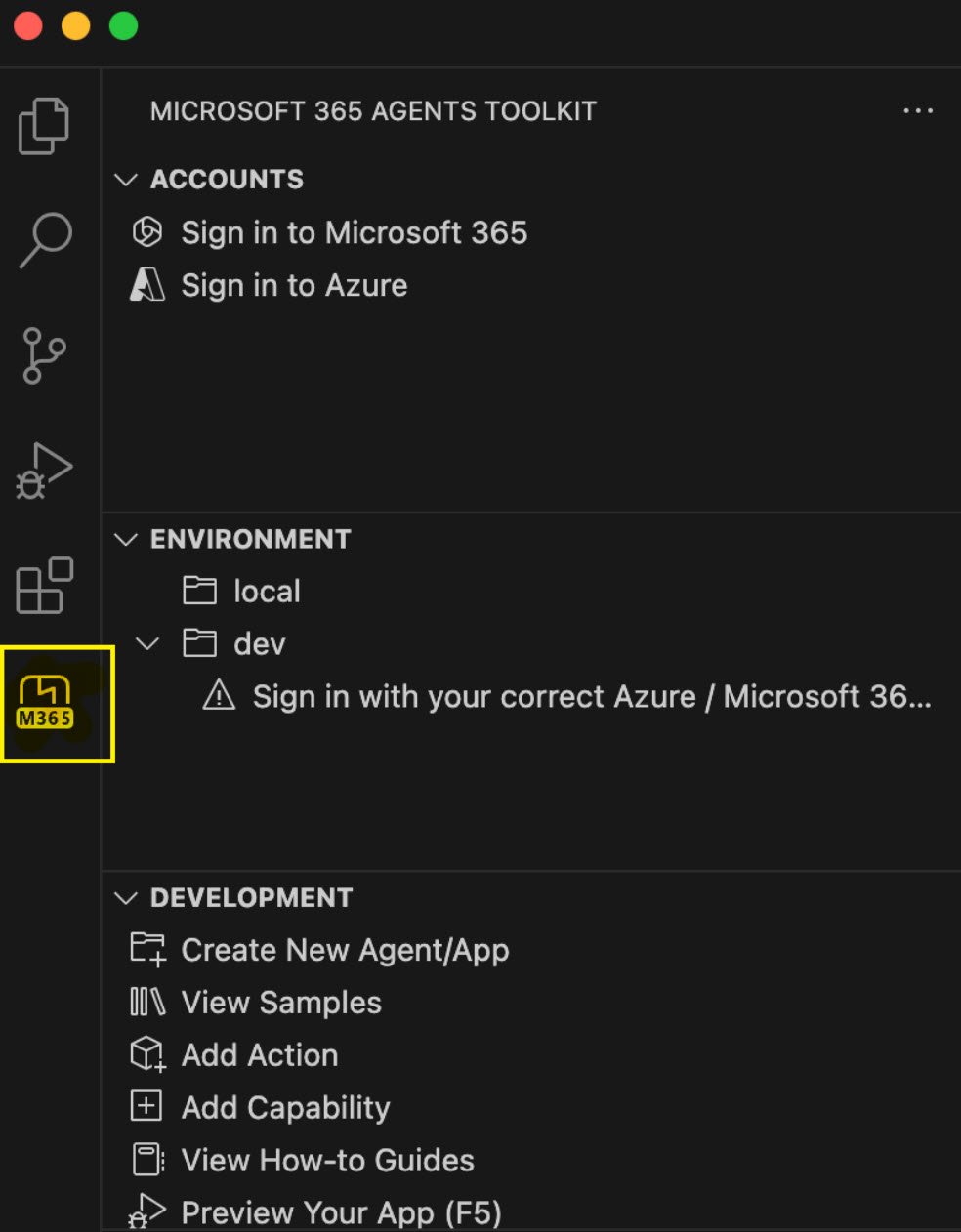
All available commands can be quickly explored by opening the Microsoft 365 Agents Toolkit from the sidebar.
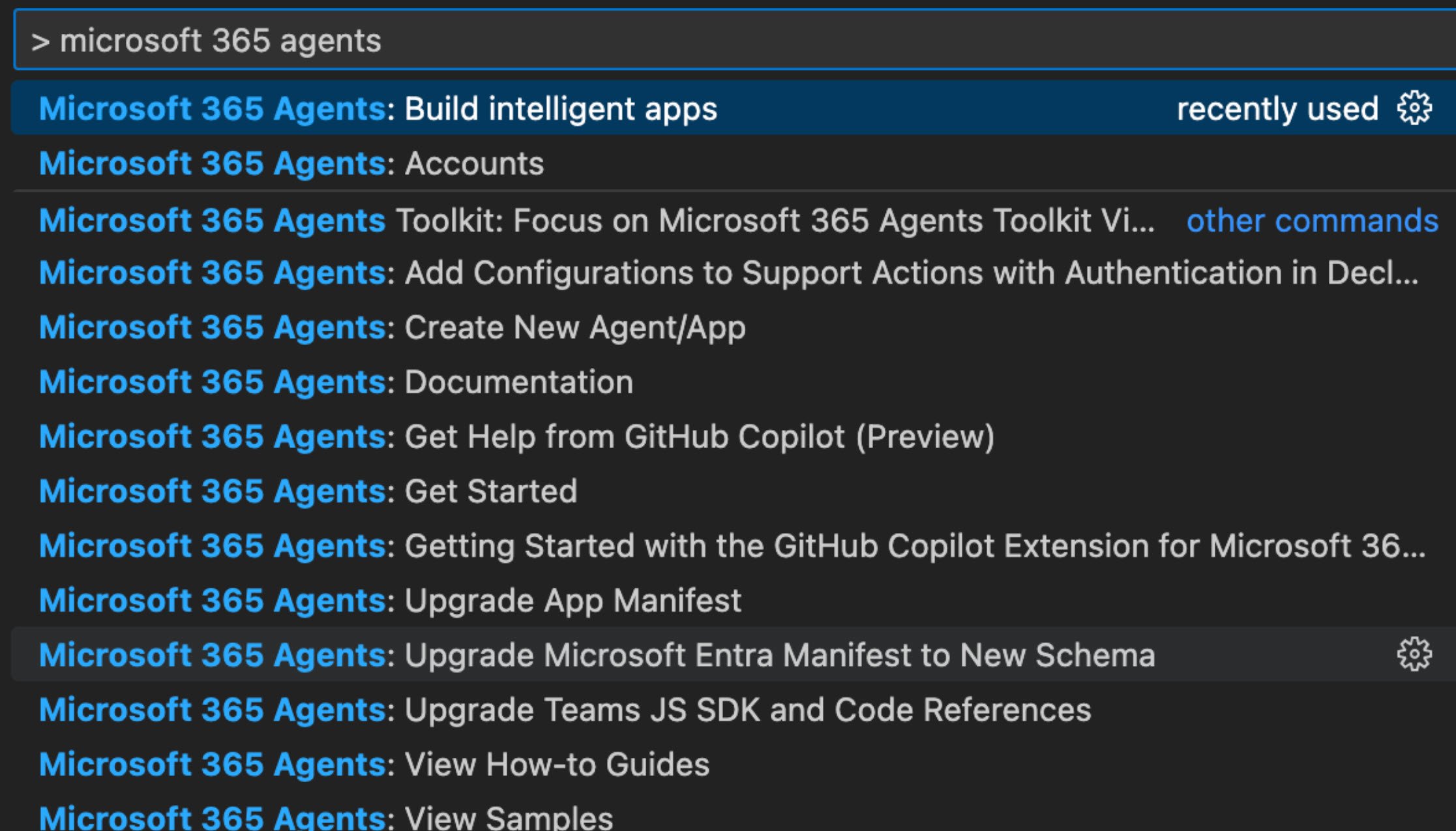
 Or you can search for the keyword " > Microsoft 365 Agents" in VS Code. (Invoke search pad with the shortcut Ctrl+Shift+P)
What’s next
Explore more AI solutions by talking to our consultant at Precio Fishbone.
Where can agents be deployed?
You can deploy agents in Microsoft Teams, Teams channels, Microsoft 365 Chat, and other Microsoft 365 areas that support Copilot extensions.
Can agents work with Microsoft 365 data?
Yes, agents can read and update files, emails, calendars, tasks, lists, and user info via Microsoft Graph. It all depends on your tenant's permission settings.
Can agents connect to CRM or ERP systems?
Yes, agents integrate smoothly with platforms like Microsoft Dynamics 365 for CRM or ERP workflows. You can also link them to custom APIs from other external systems.
How can skills be applied to agents?
Agents use skills as bite-sized functions, or API calls to handle specific tasks. You can add your own custom skills, Graph skills, Power Automate flows, or APIs from outside sources.
Share this on

Jerry Johansson
Works in IT and digital services, turning complex ideas into clear, engaging messages — and giving simple ideas the impact they deserve. With a background in journalism, Jerry connects technology and people through strategic communication, data-driven marketing, and well-crafted content. Driven by curiosity, clarity, and a strong cup of coffee.