
Enterprise software has long separated storing, viewing, and analyzing data. For organizations built on Microsoft, that gap is what the latest Dataverse updates are designed to close.
Dataverse is now positioned as an agent data platform, not just a structured database.This shift matters in practice for two roles in particular.
A Business user works inside Microsoft 365 and business applications every day. Their expectation is that AI understands their business context and helps them keep pace with demanding workflows, without requiring them to switch between tools or manually assemble information.
A Maker builds agents in Copilot Studio without writing code. Their challenge is more architectural: how do you build an agent that follows your organization's actual processes, and how do you keep it accurate when those processes change?
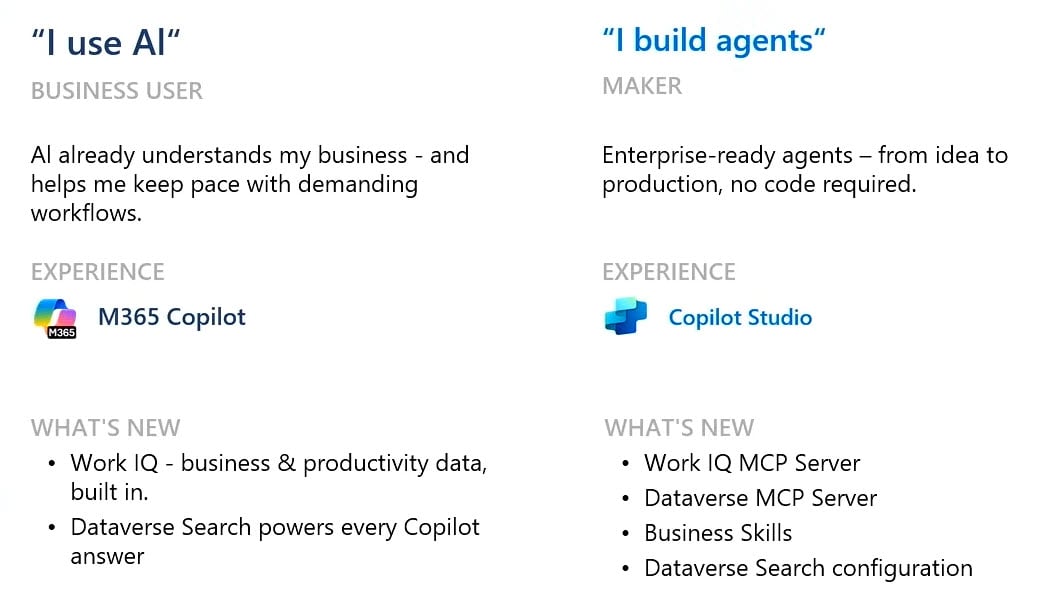
Agentic AI Use Case: Dataverse And Work IQ For Business Users
Problems Business Users face
The core friction comes down to one structural issue: the information needed to act is split across two separate systems.
Productivity data, meeting transcripts, shared documents, email threads, lives in Microsoft 365 apps.
Business data, project records, open issues, vendor assignments, customer cases, lives in Dataverse-backed applications.
To get a complete picture before making a decision, a business user typically has to open several applications, search across each one separately, and assemble the context manually. This takes time and creates the risk of acting on incomplete or outdated information.
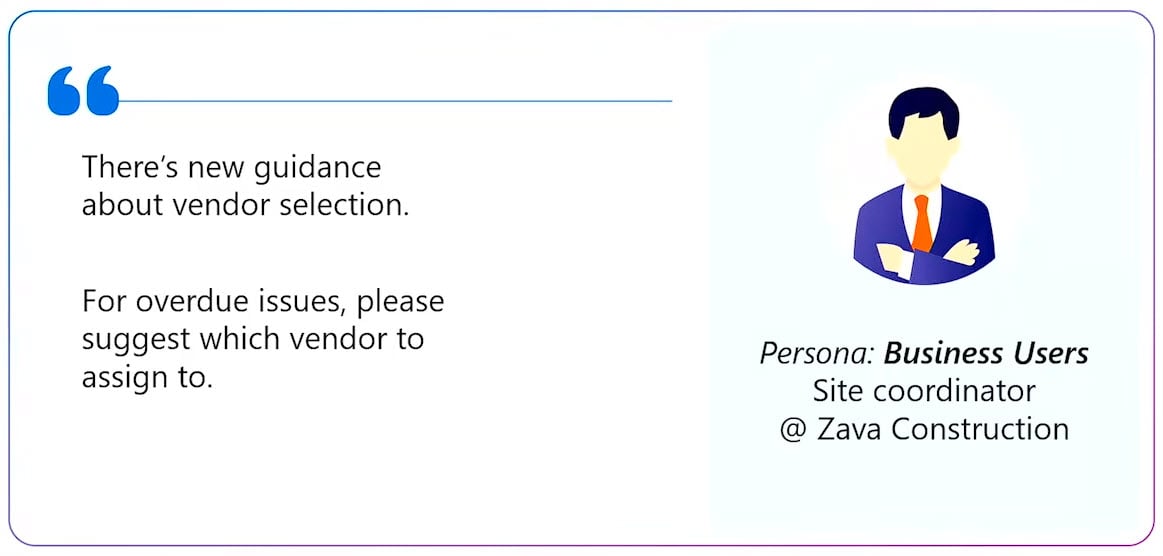
Work IQ and Agentic Search in Dataverse
Work IQ is the reasoning layer that powers Microsoft 365 Copilot's ability to answer questions that span both productivity and business data in a single interaction.
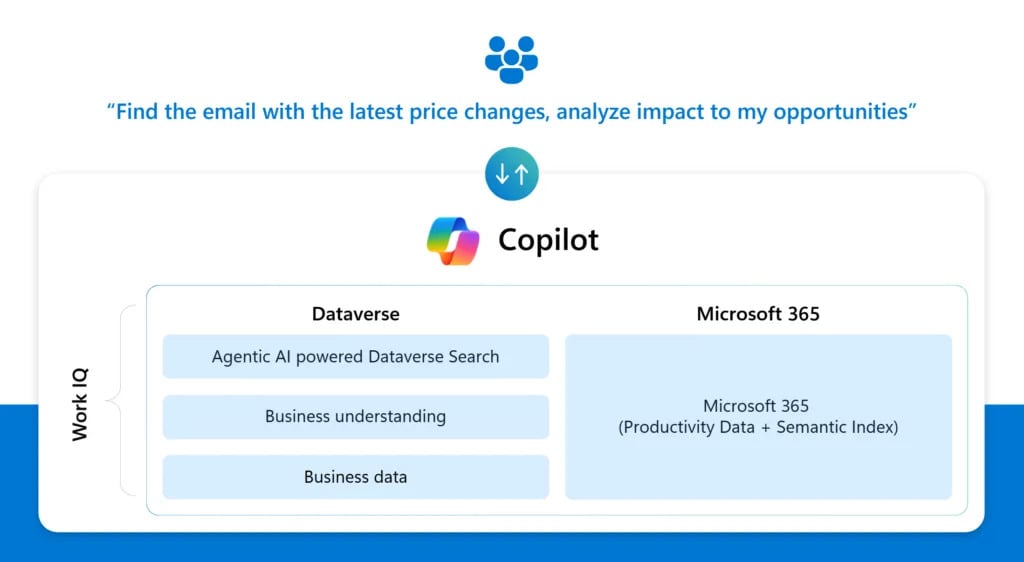
That includes emails, meetings, documents, and organizational signals. On the Dataverse side, three layers work together:
Agentic AI powered Dataverse Search applies a semantic layer to your business data schema, so Copilot reasons over structure and relationships rather than just matching keywords.
Business understanding captures procedural knowledge from existing business workflows, giving Copilot context for how your organization actually operates — not just what records exist, but what they mean and how they connect.
Business data provides the actual records: accounts, opportunities, leads, cases, and any custom Dataverse entities your organization uses.
Seeing it in action
Previously, asking Microsoft 365 Copilot to identify which products were affected by pricing changes and flag related opportunities would return nothing — because Copilot had no access to Dataverse records.
With business understanding enabled, the same question produces a grounded answer without leaving the application. Copilot reads pricing signals from Outlook emails, identifies the affected product records in Dataverse, and returns only the open opportunities tied to those products. No report building, no app switching, no manual cross-referencing.
Material: Dataverse and the agentic shift
The difference is not just convenience. It is the gap between an answer that requires three tools and fifteen minutes, and one that takes a single prompt.
Availability: Microsoft 365 Copilot with Dataverse business understanding is GA in Jul 2026 within in-app experiences for model-driven apps, Dynamics 365 Sales, and Dynamics 365 Customer Service. Check the Microsoft 365 roadmap for current availability status.
Agentic AI Use Case: Business Skills For Makers Building Process-Aware Agents
Agents alone cannot follow your processes
When a maker builds an agent in Copilot Studio, they face a structural challenge: how does the agent know how the organization actually handles a specific process?
Process logic is hardcoded into each agent. To make an agent follow a specific workflow, makers have to write that logic directly into the agent's instructions. Every agent ends up carrying its own version of the same process, with no shared source of truth across the environment.
When a process changes, everything breaks. If a workflow is updated, a new step is added, or a policy changes, every agent that references that logic needs to be found and updated individually. There is no central place to make the change once and have it apply everywhere.
New MCP servers in Dataverse for Makers
Microsoft has introduced two MCP servers that makers can add directly to their Copilot Studio agents, no code required. Both are currently in preview and require a Microsoft 365 Copilot license. Check Microsoft's current licensing documentation before deployment. [Needs source]
Dataverse MCP Server gives agents access to your business data and Business Skills. Once connected, agents can read and update Dataverse records, search data semantically, and discover Business Skills at runtime.
Work IQ MCP Server gives agents access to live organizational context from Microsoft 365. Pre-built servers cover Outlook, Teams, SharePoint, OneDrive, Word, and Dataverse, each available as a ready-to-use tool in Copilot Studio.
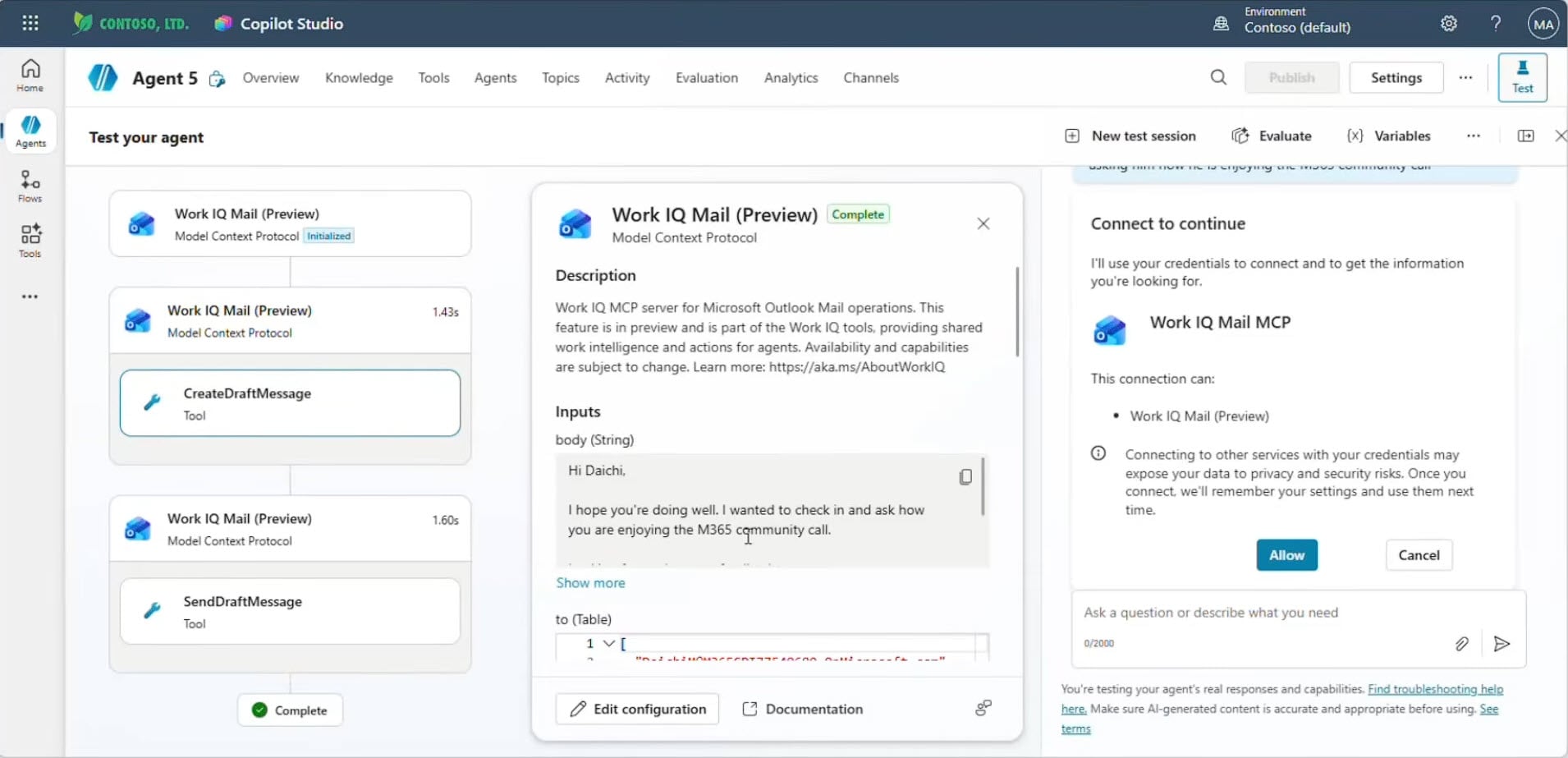
Figure: Work IQ demo on Copilot Studio workspace. View full-size image
What is a Business Skill?
A Business Skill in Dataverse is a structured, natural-language description of a specific organizational process, stored centrally and discoverable by any connected agent at runtime.
Each skill has three components: a name and description that tells agents when the skill is relevant; step-by-step instructions that tell agents how to execute the process; and resource files such as policy documents, SOPs, and templates the process depends on.
Skills are created and managed from make.powerapps.com, written in natural language or populated from existing documentation. They are solution-aware, which means they can be version-controlled and moved across environments as part of a standard Power Platform ALM process.
What Business Skills change for Makers
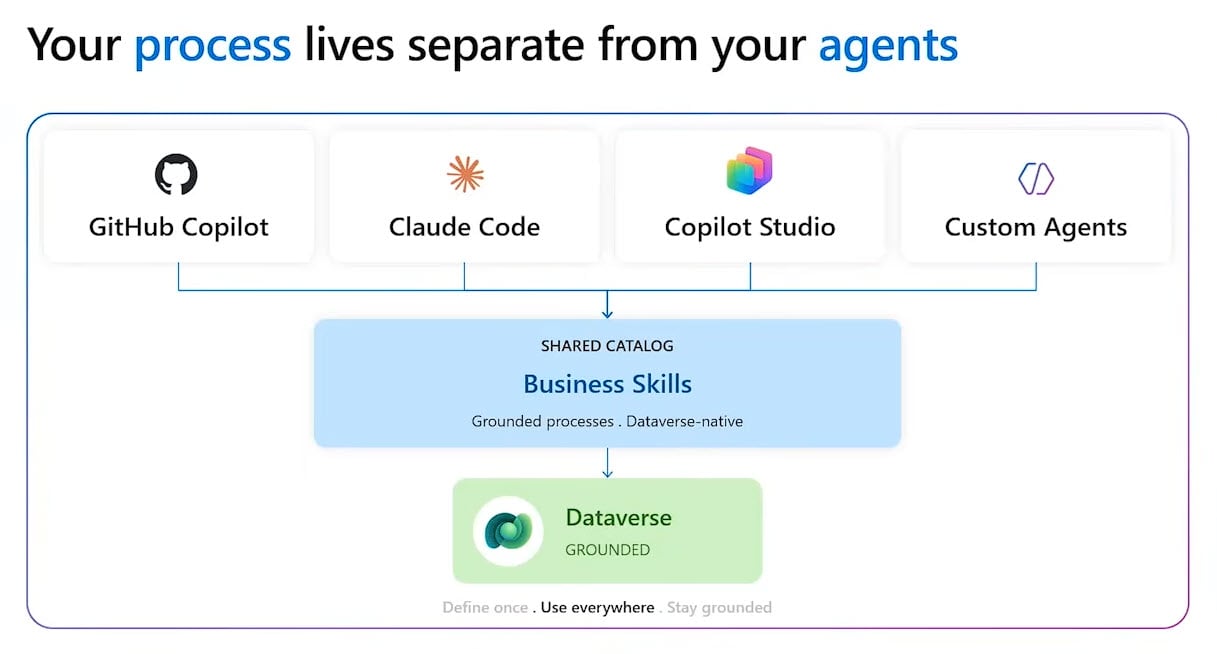
Business Skills combined with the Dataverse and Work IQ MCP servers change how Makers manage process logic across agents. These are the main improvements for Makers:
Write once, use everywhere. A Business Skill defined in Dataverse is available to any MCP-compatible agent, whether it runs in Copilot Studio, GitHub Copilot, VS Code, or Azure AI Foundry. The same process logic does not need to be recreated inside each agent configuration.
Update once, apply everywhere. When a process changes, update the skill once in make.powerapps.com, the change applies immediately to every connected agent. Skills are solution-aware and move across environments as part of your existing ALM process, with governance and version control built in.
Governance is built in. Skills come with built-in sharing and visibility controls and can be added to Power Platform solutions as part of an existing ALM process. Process knowledge becomes a governed organizational asset, not an informal configuration that lives inside a single agent.
When does this approach work best?
Centralized Business Skills pay off most when you have multiple agents referencing the same processes. For single-use workflows or teams just starting with agent development, writing logic directly into an agent may be simpler initially. The coordination cost reduction and governance benefits become clearer as agent count and process complexity grow.
For further detail, the Business Skills documentation on Microsoft Learn and the sample Business Skills repository on GitHub provide practical starting points for teams ready to explore the capability.
Dataverse As The Foundation Of Agentic AI
When Precio Fishbone helps organizations implement Business Skills, we start by identifying processes that are already documented but exist in multiple places: approval workflows, escalation paths, compliance checks.
Talk to our expertPrecio Fishbone can help you assess readiness for centralized Business Skills and map a rollout sequence that fits your current Microsoft environment.
Frequently Asked Questions
Can Work IQ work automatically with an existing Dataverse environment?
Yes. Dataverse Agentic Search automatically indexes business data tables once Dataverse intelligence is enabled in the Power Platform Admin Center. No manual table configuration is required.
How is Work IQ different from using M365 Copilot with standard connectors?
Standard connectors retrieve data fragments without understanding the relationships between them. Work IQ applies a semantic layer to the Dataverse schema, so Copilot understands a record as a business entity with context and history, producing more complete answers than keyword-based retrieval.
Can Business Skills work for organizations that do not have well-documented processes?
Yes. Skills can be written conversationally or populated from existing materials such as emails or rough SOPs. Creating a skill and documenting a process are effectively the same activity, making Business Skills a practical tool for capturing knowledge that currently exists only informally.
Can Business Skills be used by agents built outside of Copilot Studio?
Yes. Skills are exposed through the Dataverse MCP server, which follows the open MCP standard. GitHub Copilot, VS Code, Azure AI Foundry, and custom agents can all discover and use the same skill catalog.
Share this on

Pär Johansson
Pär works with international business at Precio Fishbone, project delivery & digital services, helping turn complexity into progress and strategy into long-term value. With many years of experience in international business, He is known for building strong relationships and turning plans into meaningful progress. Driven by people, trust and sustainable growth.