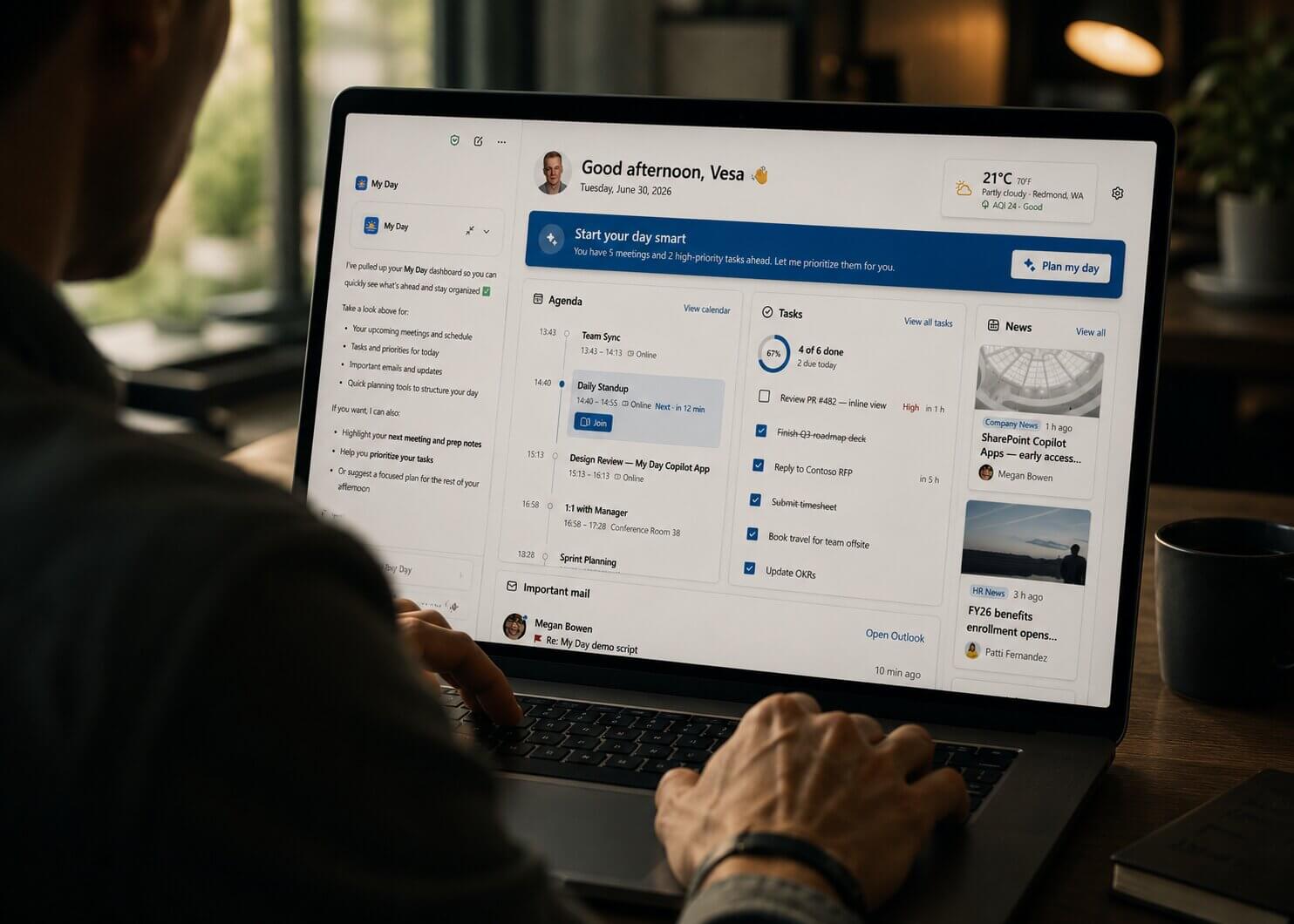
With access to your SharePoint documents, Copilot is great at summarising what I need to do. It helps me quickly catch up on how many tasks I have, what expenses are still waiting for my approval, or what specific file I need to review.
I noticed one problem: Copilot knows exactly what file and what to do in that file, but it can only tell me what to do. I'm still the one who has to do the manual work like open a specific SharePoint site, find that document, and edit it. Sometimes it really annoying, as I don't want to spend hours finding and going through all the sites.
That's why I was very excited when I heard about this new feature called SharePoint Copilot Apps (Public Preview since July 2026). Basically, it upgrades Copilot chat, letting you take real action inside the chat window.
With this setup, when you ask "what does my day look like" in Copilot chat, the agent now returns a card like the one below where each row is a control you can click to get your task done, without the need to leave the conversation.
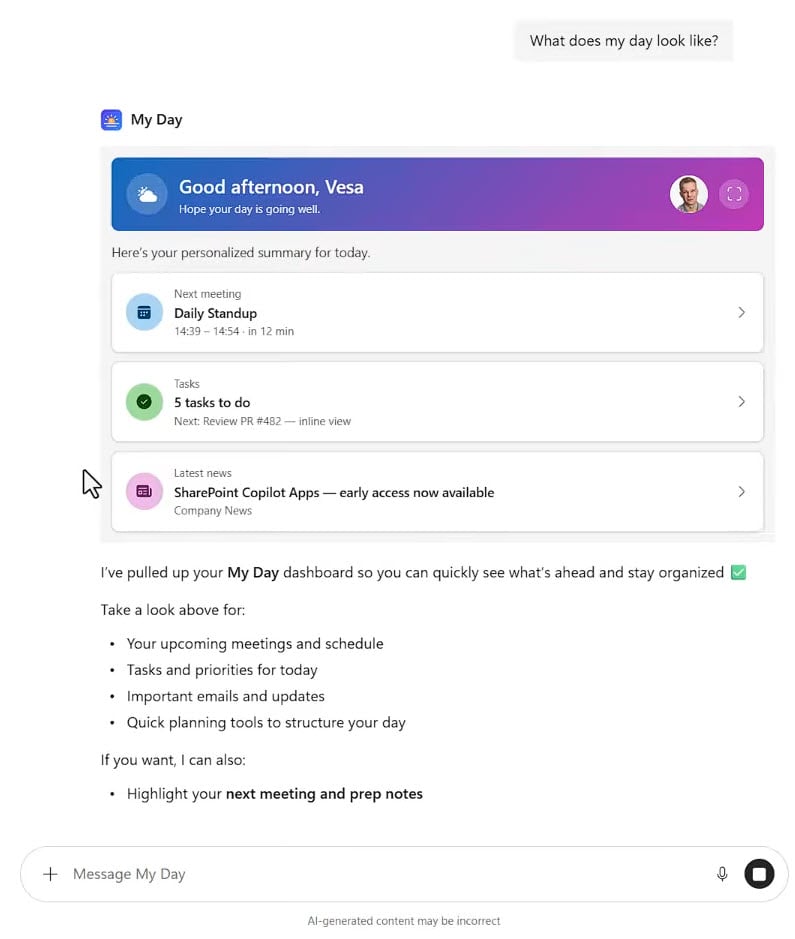
Figure 1: The My Day component rendered inline in the Copilot chat.
SharePoint Copilot Apps Are React Components You Build
A SharePoint Copilot App is a React component your organization writes, rendered inside the Copilot chat. That is the entire definition.
You write the component and you decide where it gets its data. Microsoft handles the rest: packaging, hosting, and how Copilot finds it.
This is where most coverage gets it backwards. What appears inside Copilot is your component. It is not your SharePoint content.
Microsoft's "My Day" demo shows the user's upcoming meetings, tasks, and email by calling Microsoft Graph and Work IQ. It never touches a SharePoint list. SharePoint is how the component reaches the user, and has nothing to do with what the component displays.
These are real React components, not adaptive cards. They call live APIs and refresh while the chat is still open. In the training demo, a component fetched a list of courses, filtered it, and previewed the documents attached to each session.
They also expand to full screen, which is where the widget assumption falls apart. The expanded My Day view carries an agenda, a task ring showing four of six items done, and a mail pane. That is a dashboard, and it is running inside a chat window.
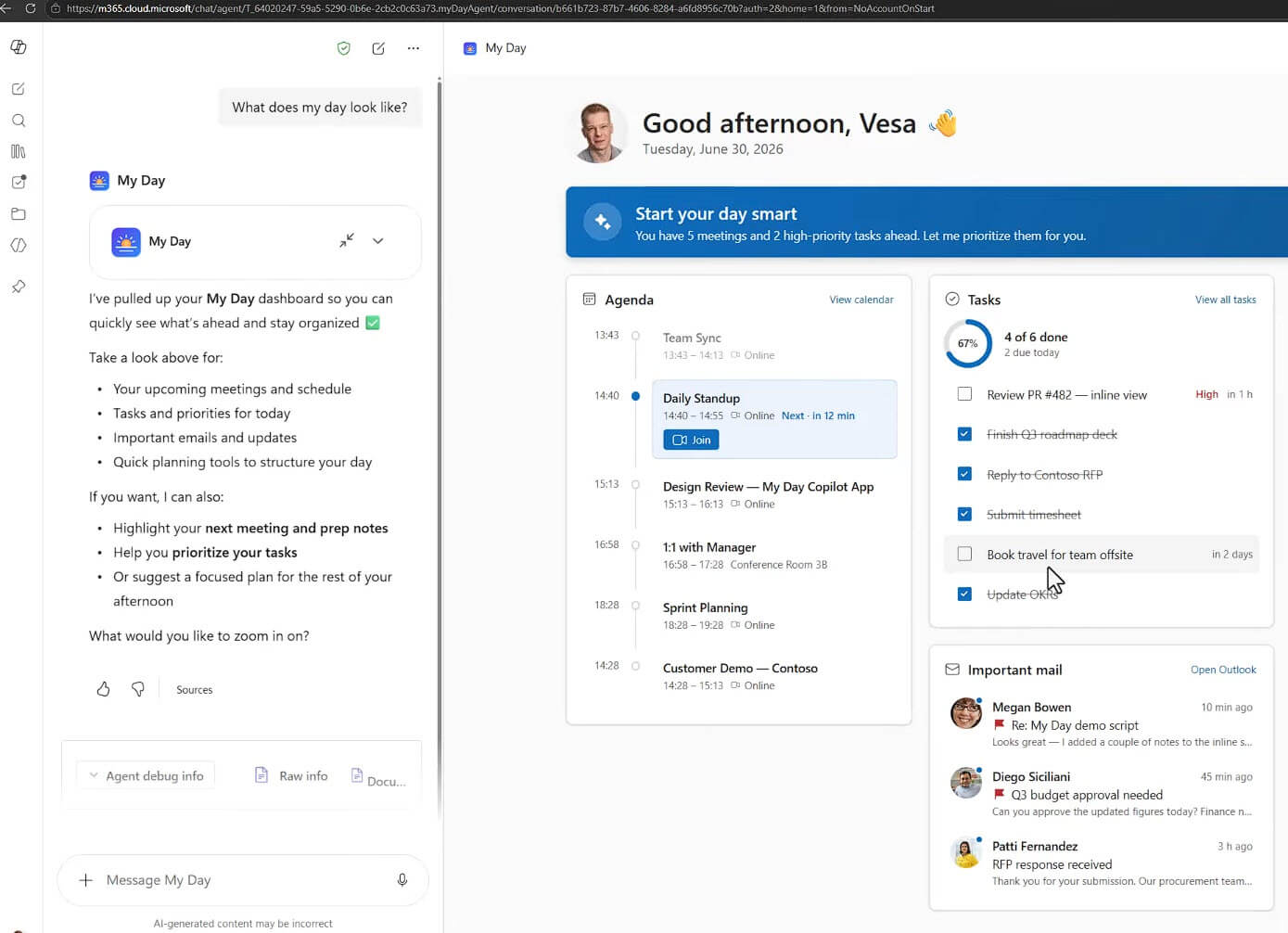
Figure 2: My Day expanded to full-screen mode.
The whole model runs on the MCP Apps standard. Microsoft resolves the components and keeps the catalog inside Microsoft 365, so your developers only have to build the interface. If your team has done any custom SharePoint development before, they are already qualified to build these.
SharePoint Builds, Packages, Hosts, And Distributes The Component
Four jobs, and none of them involve supplying data.
Build. SharePoint Framework, or SPFx, is the development model. Microsoft says custom SPFx components built outside Microsoft serve tens of millions of end users every day.
Package. Everything compiles into an .sppkg file, which is technically a zip holding every asset the component needs, including the agent definition.
Host. The code runs inside your own tenant, under the signed-in user's permissions, which mean these component can skips the security review that an externally hosted app has to go throught. You do not need to register an Entra ID application, open your tenant to an external connection or stand up infrastructure.
Distribute. One .sppkg deploys across multiple tenants instead of being configured one at a time. The same component model already surfaced in your SharePoint portal, in Microsoft Teams, and in Outlook. Copilot is the newest surface on that list, and you reach it with the codebase you already maintain.
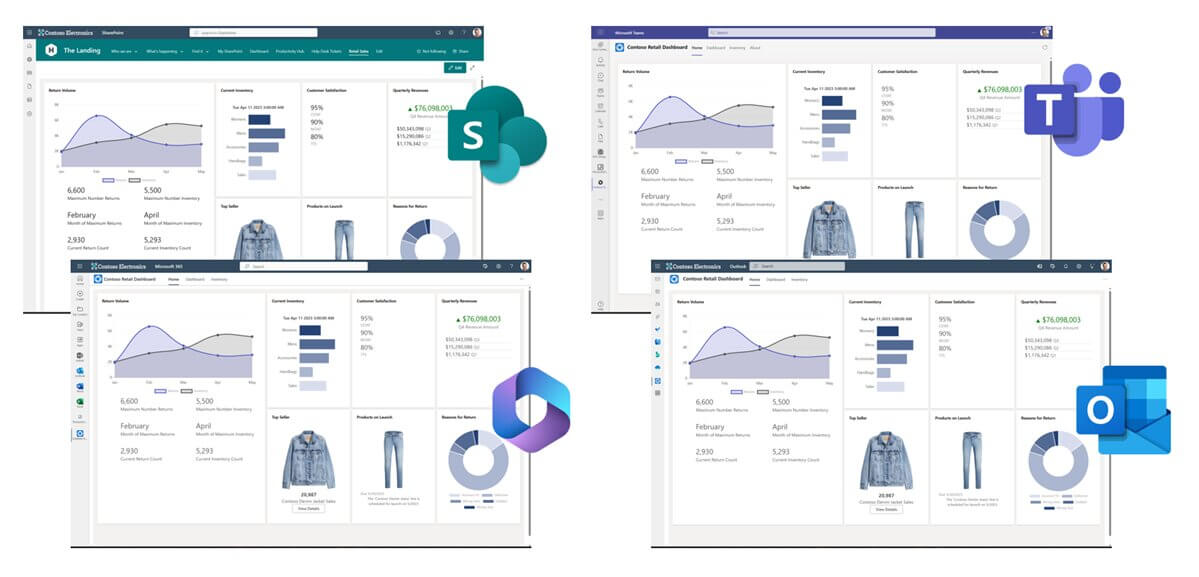
Figure 3: One dashboard, rendered in SharePoint, Teams, M365 and Outlook.
Where the component gets its data is your choice. Microsoft Graph, your SAP instance, your CRM, an internal API, or SharePoint itself. The framework does not care, and that is what makes the feature broader than its name suggests.
Every App Attaches To One Declarative Agent
Components do not float loose in Copilot. Each one attaches to a specific agent, and the agent definition ships inside the same .sppkg file.
A user opens an agent, for example an employee onboarding agent, and the agent decides which component to render based on what the person asked for. A large organization can run many components without confronting the user with a flat list of hundreds of tools.
That structure is the part I was most relieved to see. Anyone who has watched an agentic environment fill with loose tools knows how quickly nobody can say what is running or why. Scoping components to agents keeps that contained.
Who Benefits From SharePoint Copilot Apps Today
Not every organization gets value from this. Three groups, and where you land is decided entirely by what you already built.
You benefit immediately if you already have SPFx web parts, portal applications, or custom components in production. The marginal cost of surfacing them in Copilot is close to zero, because the code does not need rewriting. Anything previously exposed as a web part can be exposed as a UX component inside an agent.
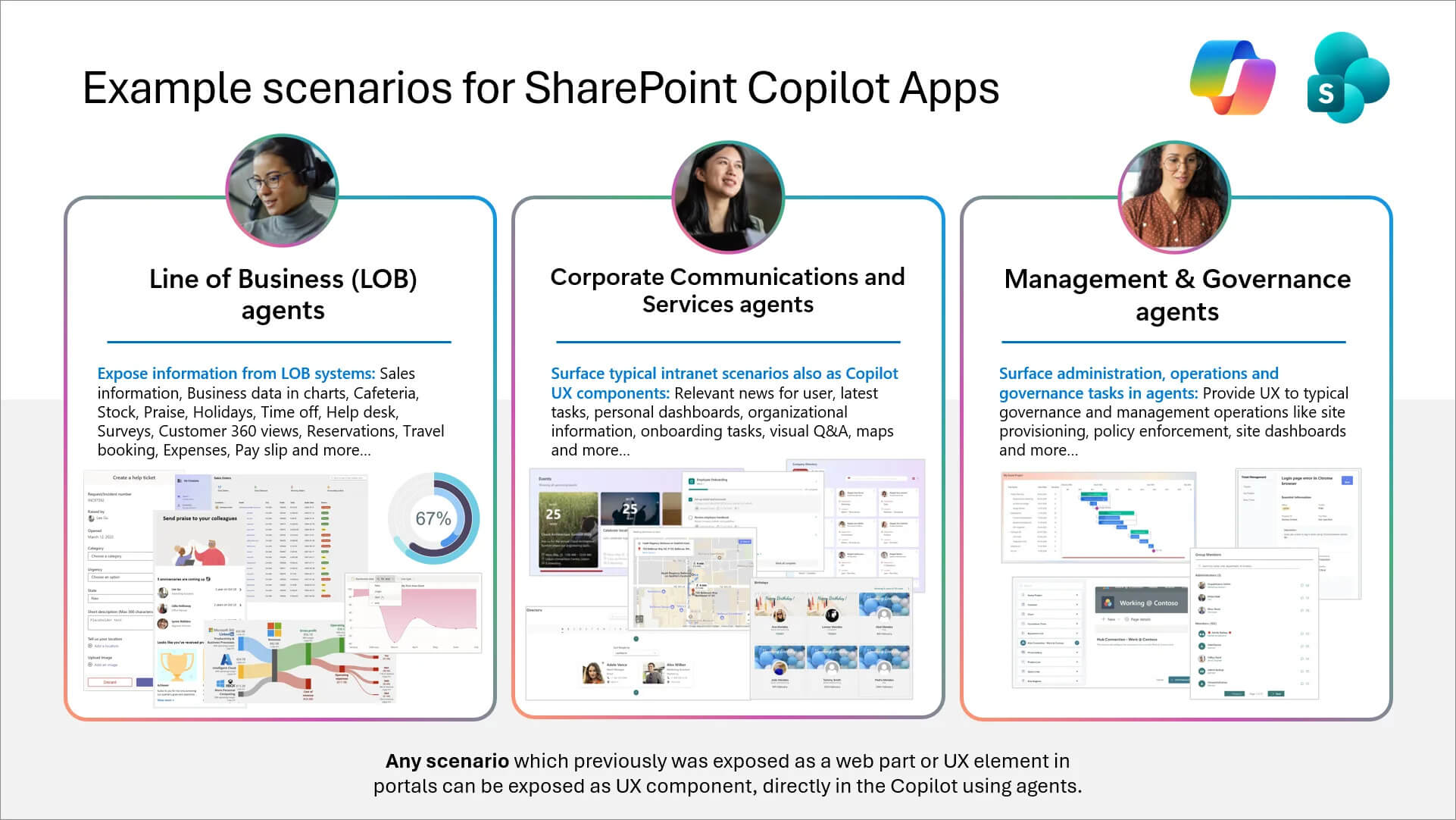
Figure 4: Microsoft's example scenarios for SharePoint Copilot Apps.
You benefit conditionally if you are rolling Copilot out in waves. Because the model is built on declarative agents, it currently needs no Copilot license, only a baseline Microsoft 365 user license. Components therefore reach the employees who have not been given Copilot yet, which extends the value of work you are already doing. That advantage lasts only as long as the current licensing policy does.
You get nothing yet if your organization treats SharePoint as a network drive and has never invested in custom development. SharePoint Copilot Apps reward organizations that already built something. The feature does not create value out of nothing, and no amount of preview enthusiasm changes that.
Learn How to Build SharePoint Copilot Apps
Microsoft has published two videos that go further than this article, and both are free. Check this walks through building one end to end. Start here if you want the actual steps rather than the concept.
Material: Creating your first SharePoint Copilot App - Tutorial
Check Three Things Before You Commit
Timeline. Public preview begins in July 2026. General availability is planned for autumn 2026, with no firm date attached as of this writing.
Licensing. Today you need no Copilot license, only a baseline Microsoft 365 user license. Microsoft has said this may change, so keep it out of any business case you present.
The name. Microsoft has stated that "SharePoint Copilot Apps" is subject to change before general availability. If you write internal documentation, expect to revise it.
None of these are reasons to wait. They are reasons to run one small project rather than a programme.
Ready to Govern Your Agents?
Those videos will get a developer started. What none of them can tell you is which of your existing components deserve to go into Copilot first, or which will stall in your own approval process.
Precio Fishbone has built on SharePoint since our earliest years, well before AI made it a headline. The code we shipped into customer portals is the same kind of code that now runs in the Copilot canvas.
Work with Precio FishboneIf you have worked with us before, we know exactly what we built for you and which of it belongs in a SharePoint Copilot App.
Frequently Asked Questions
Does this new feature replace Copilot reading our SharePoint documents?
No. The two run in parallel. Copilot still grounds answers on your SharePoint content through Microsoft Graph. Copilot Apps add a surface for acting, and change nothing about retrieval.
When will SharePoint Copilot Apps be available?
Public preview starts in July 2026. General availability is planned for autumn 2026 with no confirmed date at the time of writing. Microsoft has also said the product name may change before then.
Do we need a Copilot license?
Not at present. Because the model is built on the declarative agent pattern, only a baseline Microsoft 365 user license is required. Microsoft has said this policy may change.
Can we reuse our existing SharePoint components?
Yes, if they are built with SPFx. One codebase surfaces in SharePoint, Teams, and Copilot without a rewrite. Organizations with an existing SPFx portfolio see value first.
Share this on

Pär Johansson
Pär works with international business at Precio Fishbone, project delivery & digital services, helping turn complexity into progress and strategy into long-term value. With many years of experience in international business, He is known for building strong relationships and turning plans into meaningful progress. Driven by people, trust and sustainable growth.