Copilot and Copilot Studio share a name and answer to different jobs. Copilot for Microsoft 365 works inside your existing apps. Copilot Studio builds a separate agent, with its own audience and its own governance rules.
Both tools come bundled with a Microsoft 365 Copilot license, which is exactly why teams get confused. Agent Builder, inside Copilot chat, and the full Copilot Studio portal both let you build an agent, and Microsoft ships both under the same brand.
The two solve different problems. Agent Builder is built for one person or a small team pointing Copilot at their own files. Copilot Studio is built for an agent meant to run across a department, a customer base, or a workflow with approval steps.
What Copilot for Microsoft 365 Actually Is
Copilot for Microsoft 365, through Agent Builder, lets you create an agent in minutes by pointing it at files, a SharePoint site, or your own instructions, all inside the same chat window you already use. No code, no separate license beyond the Copilot add-on you likely already have.
Agent Builder inherits the constraint that makes it safe by default: an agent built this way respects your existing Microsoft 365 permissions. If you cannot open a Teams channel or a SharePoint site yourself, the agent you share cannot surface content from it either.
That safety comes with a ceiling. Agent Builder agents run on the Microsoft 365 Copilot orchestrator and models, and they stay grounded in Microsoft Graph. They are not built for multistep workflows, external publishing, or systems outside Microsoft 365.
What Copilot Studio Actually Is
Copilot Studio is a separate portal, not a feature inside Copilot chat. Makers and developers use it to build agents meant for a department, a customer base, or a workflow that spans systems, not just a single person's files.
The capability gap is real. Copilot Studio agents can run multistep logic, wait on approvals, call external connectors, and act autonomously on triggers instead of only responding to prompts. None of that exists in Agent Builder.
Agent or Copilot Studio agent? An Agent Builder agent answers questions from content you can already reach. A Copilot Studio agent can also take actions across systems and publish to a public website. It gets versioned across development, test, and production environments along the way.
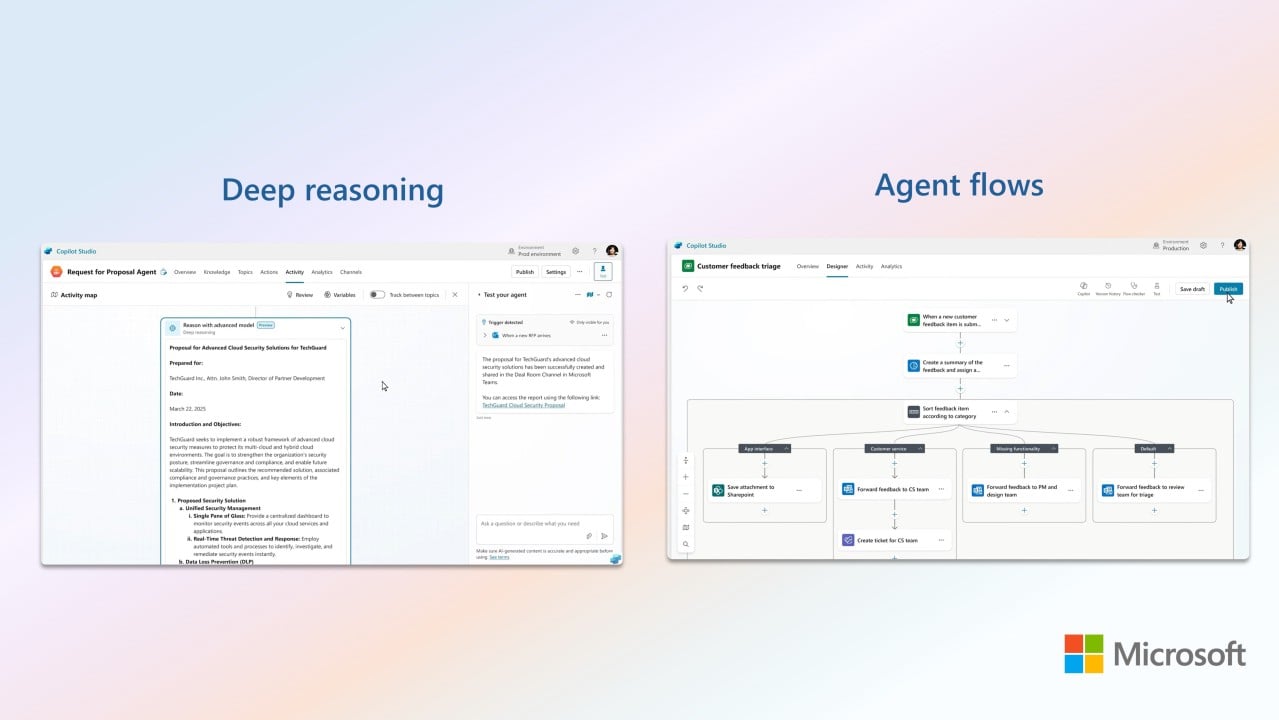
Building in Copilot Studio is still low-code by default, using a visual designer and natural-language instructions. The pro-code route is separate: the Microsoft 365 Agents SDK, Teams SDK, or Azure AI Foundry, for teams that need their own model or orchestrator instead of the one Copilot Studio provides.
Licensing and Credits: Where the Real Cost Sits
Both tools come included with a Microsoft 365 Copilot add-on license. That is the part everyone already knows. What catches people out is what happens after that license runs out of room.
Copilot Studio meters usage in Copilot Credits, the unit Microsoft renamed from messages in September 2025. Every message an agent processes, every autonomous trigger that fires, draws down a shared, prepaid credit pool that your tenant buys in packs.
There is a real exception, and it is the one most FAQ pages skip. If your users already hold a Microsoft 365 Copilot license and they use an agent inside Copilot Chat, Teams, or SharePoint, that usage is zero-rated. It does not draw down the Copilot Studio credit pool at all.
The credits start mattering once an agent leaves that path, published to a public website, or opened up to people without a Copilot license. Budget for credits based on where the agent lives, not on how complex it looks in the designer.
Trial and free tier, before you buy anything. Agent Builder works free for agents grounded only on web knowledge. Copilot Studio has no separate developer license. The maker experience is free, but publishing anything real still needs the tenant to have a prepaid credit pack, and a trial environment expires after 30 days.
Talk to our expertWhich One You Actually Need, and What Breaks If You Guess Wrong
Start with audience, not capability. If the agent serves you or a handful of teammates answering questions from files you already have, Agent Builder is enough, and paying for Copilot Studio's governance tools buys you controls nobody on a five-person team will touch.
My rule is if you cannot name who outside your immediate team will use this agent in six months, start in Agent Builder.
Precio Fishbone works with organizations making that call inside real Microsoft 365 tenants, from picking the right tool on day one to migrating an agent into Copilot Studio once it has outgrown Agent Builder.
Check our Copilot dedicated solution if you are not sure which side of that line your agents already sit on, that is worth an audit.
Frequently Asked Questions
Is Copilot Studio free?
Building is free. Every maker gets a no-cost Copilot Studio license, but publishing anything beyond a trial requires your tenant to have a prepaid Copilot Credits pack or a pay-as-you-go Azure meter set up first.
What is Microsoft Copilot Studio?
Copilot Studio is the standalone Microsoft platform for building agents that reach beyond a single person’s files, with multistep workflows and connections to systems outside Microsoft 365.
What is the difference between Copilot and Copilot Studio?
Copilot for Microsoft 365 answers questions from content you can already access, using the built-in orchestrator. Copilot Studio builds agents that can act across systems, run approvals, and publish to audiences outside your team.
Do I need Copilot Studio if I already have Microsoft 365 Copilot?
Usually not, until the agent needs to reach people without a Copilot license or connect to a system outside Microsoft 365. Agent Builder inside your existing license covers the rest.
Share this on

Pär Johansson
Pär works with international business at Precio Fishbone, project delivery & digital services, helping turn complexity into progress and strategy into long-term value. With many years of experience in international business, He is known for building strong relationships and turning plans into meaningful progress. Driven by people, trust and sustainable growth.