Anyone with a Microsoft 365 Copilot license can build one in minutes. Knowing which agents exist and what they can read takes longer.
Every Microsoft 365 tenant with Copilot licensing already has the tools to build one. Agent Builder ships inside Copilot chat, and Copilot Studio adds a low-code layer on top. Employees are creating agents before most IT teams have settled on what a Copilot agent actually is or who is supposed to approve one.
The real question is whether anyone can say what a given agent reads and who is accountable when it answers wrong. Most IT teams cannot answer either yet.
What a Copilot Agent Actually Is
A Copilot agent is a Copilot that you point at specific content and give specific instructions. It answers within that scope for whoever you share it with, using their existing Microsoft 365 permissions rather than a separate access model.
Agent or Copilot? Regular Copilot answers across everything the signed-in user can already reach. An agent is narrower. It follows fixed instructions, draws from a defined set of files or sites, and gets shared with named people or groups rather than deployed org-wide by default.
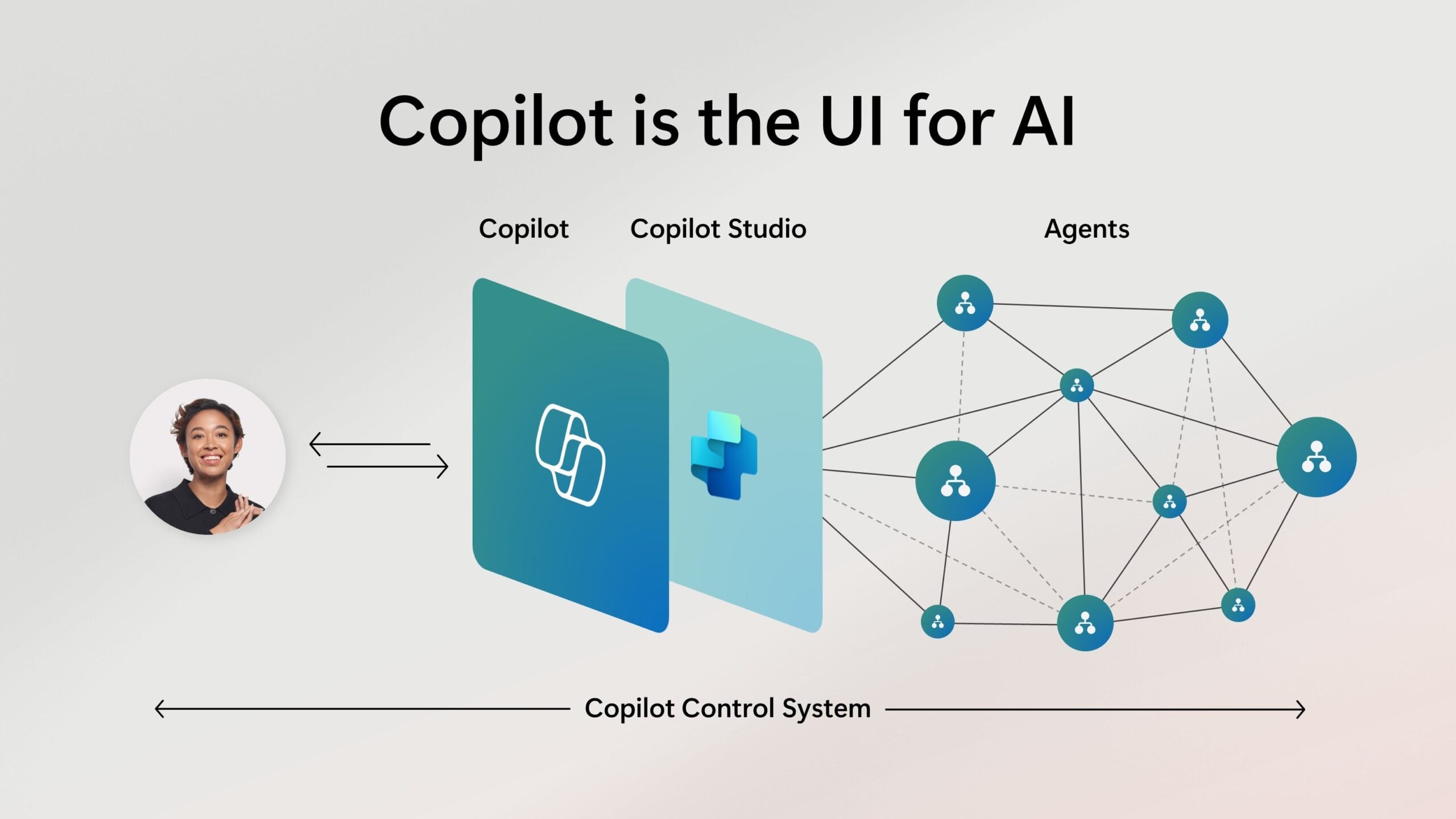
People often assume an agent needs its own security clearance to see restricted data. An agent inherits whatever the person using it can already open. Share it with someone who has access to files they should not have, and the agent surfaces those same files, just faster and in more places.
Some Copilot agents only retrieve information when asked. Others carry out a task, like applying a template to a document instead of just finding it.
A smaller set act without a prompt at all, running on a schedule or a trigger. Autonomous agents are the newer, less common case, and the one governance teams are least prepared for. Microsoft Entra gives every agent a separate identity to track, which is where that accountability question actually gets answered.
Copilot Agent or Power Automate?
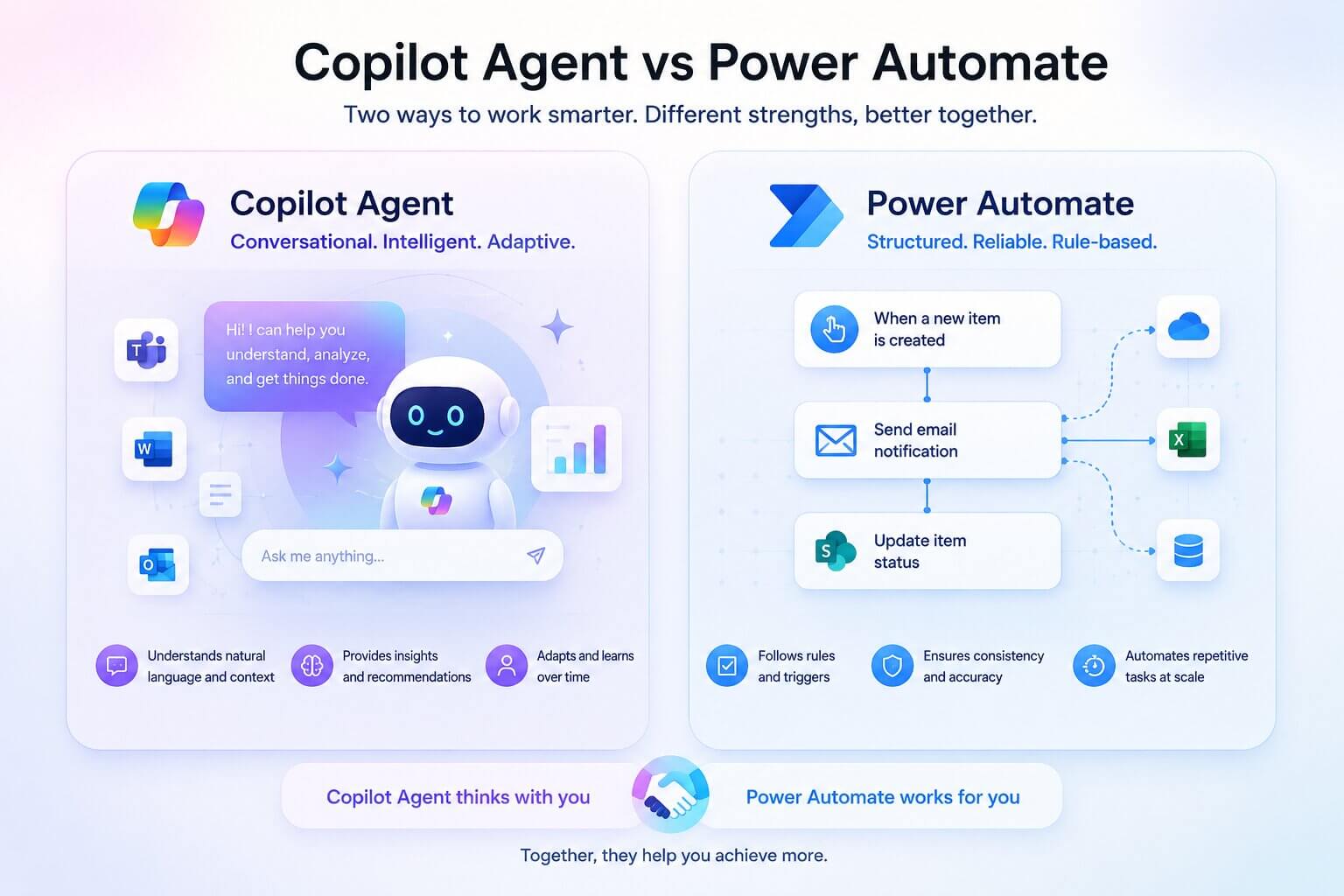
The other mix-up worth clearing up early. A flow runs the same sequence every time its trigger fires. An agent reads the request and decides what to do, so two people asking the same thing in different words can get different documents back.
That difference decides which one to build. Use a flow when the steps almost never change, like routing a fixed approval or copying a file into another library on a schedule. Build an agent when the request varies enough that a fixed script would need constant rework, like answering ad hoc questions against a changing set of policy documents.
Some deployments need both. A Copilot agent can call a Power Automate flow as one of its actions, deciding when the flow is the right response and handing off to a fixed, auditable sequence for the part that should not vary.
That handoff point needs a named owner too. Permissions and the audit trail change hands exactly where the agent calls the flow, so treat it as part of the same governance record as the agent itself.
What It Can Actually Do
HR agent. Answers policy and benefits questions from the employee handbook and HR SharePoint site, so HR stops fielding the same five questions by email.
IT helpdesk agent. Handles password resets, software requests, and how-to questions, pulling from IT documentation instead of a ticket queue.
Finance agent. Answers budget and expense questions from finance's own reporting files, scoped so it cannot see unrelated cost centers.
Customer support agent. Drafts reply suggestions from a knowledge base, with a human still sending the final response.
The common thread is scope. Each one only works because its access was locked down before launch, not patched afterward.
An agent built against an entire SharePoint tenant, with no scoping, just adds an extra step in front of Copilot. It surfaces the same oversharing problems Copilot already has.
The gap between an agent demo and a production agent usually comes down to permissions, not capability. That check needs to happen before the agent goes live, not after an employee reports a problem.
Get Better Answers From Copilot Agents
Agents that disappoint their users tend to have the same two weak points: the instructions they were built with, and the prompts people type into them. Both are fixable without rebuilding anything.
Instructions are where the larger gain sits. Agents that return inconsistent answers usually have instructions that cover the first point and skip the rest.
Prompts do the other half of the work. A prompt always carries a goal, and adds context, the expected format, and a named source when the goal on its own is too broad.
Our prompting and instruction tips for Copilot agents cover the instruction template, the four parts of a working prompt, and the length limits worth knowing before you attach a source.
What to Check Before You Deploy One
An agent's biggest risk sits in the permissions it inherits, not in what the AI itself gets wrong. A scoping mistake spreads access that was already wrong to more people, faster.
Check permission inheritance first. An agent scoped to a SharePoint site inherits every sharing link and access grant already sitting on that site, including oversharing nobody has cleaned up in years. Skip that check, and you find out through an incident instead of an audit.
Assign an owner, not a project. Every agent needs one named person accountable for what it answers and who can retire it. Agents built by individual employees during a pilot tend to keep running long after the pilot ends, with no one checking whether the source content is still accurate.
Decide the review cadence before launch. Source documents change. An agent grounded in a policy that was updated last quarter keeps citing the old version until someone re-checks it. A quarterly review is a reasonable default for agents tied to policy or compliance content.
Working with Precio Fishbone
Precio Fishbone runs exactly that kind of management AI agent solution inside Microsoft 365 environments that already have Copilot live: which agents exist, what each one can reach, and who owns it. If you cannot answer those three questions for your tenant today, that review is the practical next step.
Talk to our expertFrequently Asked Questions
What are Copilot agents used for?
Most production agents handle a single repeatable task: HR policy questions, IT password resets, finance reporting, or customer support replies. Each one is scoped to a specific set of content rather than acting across the whole organization.
How do you create a Copilot agent?
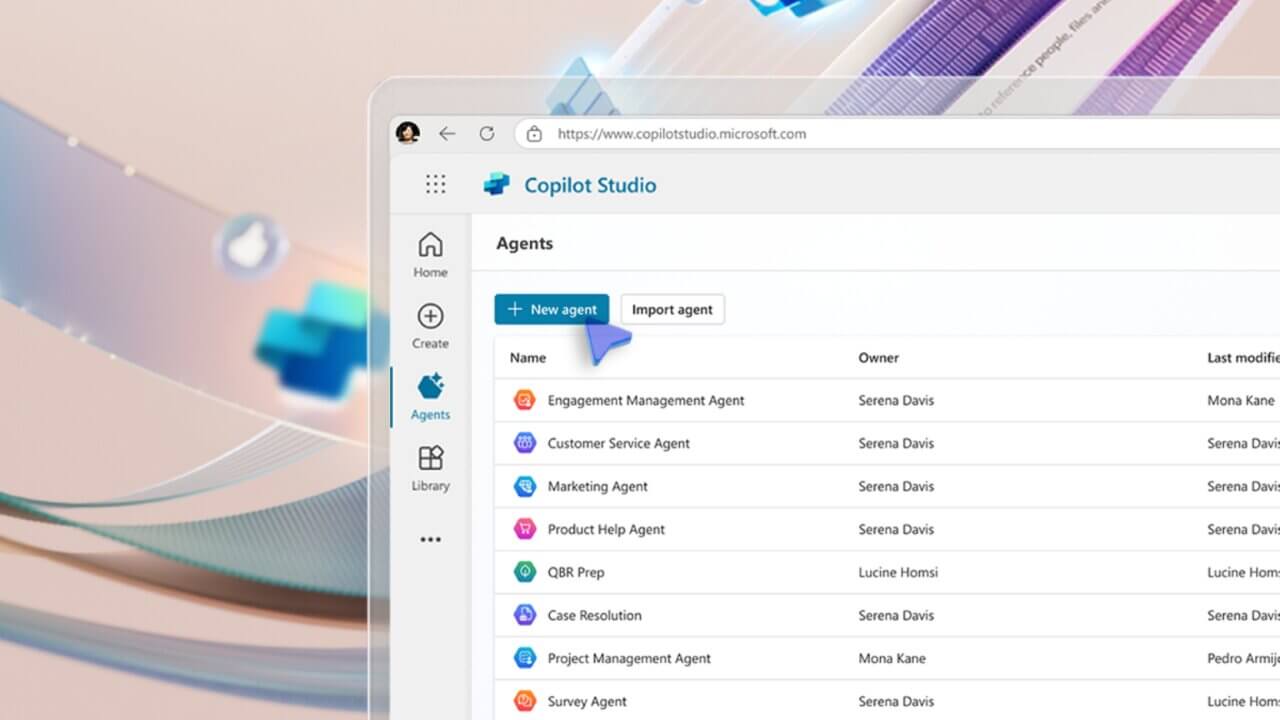
Agent Builder, inside Copilot chat, lets any licensed user create one by pointing it at files or a SharePoint site and writing instructions. No code is required, which is exactly why unmanaged agents spread so quickly.
Is Copilot agentic AI?
Some are. Agents that only retrieve information on request do not meet the common bar for agentic AI. Agents that act on a schedule or trigger without a prompt, and chain steps on their own, do.
What is the purpose of agents in Copilot?
Agents narrow Copilot down to one job and one dataset, instead of answering across everything a user can see. That scoping is what makes an agent faster and more predictable for a specific, repeated task.
Share this on

Pär Johansson
Pär works with international business at Precio Fishbone, project delivery & digital services, helping turn complexity into progress and strategy into long-term value. With many years of experience in international business, He is known for building strong relationships and turning plans into meaningful progress. Driven by people, trust and sustainable growth.