
A team lead has a SharePoint document library full of onboarding guides that new starters keep messaging colleagues about instead of reading. The fix sounds simple: point Agent Builder at that library and let people ask questions instead. The build itself takes minutes. Getting useful answers out of it takes rather more thought about what is actually in that library.
What Agent Builder does with a SharePoint site
Agent Builder is the low code experience inside Microsoft 365 Copilot that lets anyone describe an agent in plain language and have the platform build a working version. You are not writing code or designing conversation flows from scratch. You are describing an outcome, and the platform assembles an agent around it.
For a SharePoint focused agent, that description might read something like: create an agent that answers onboarding questions using our HR site, points new starters to the right policy page. From there, you choose which SharePoint sites or document libraries the agent should draw on as knowledge sources, and the agent starts grounding its answers in that content rather than in general web knowledge, the same grounding principle behind governing Copilot agents built on SharePoint more generally.
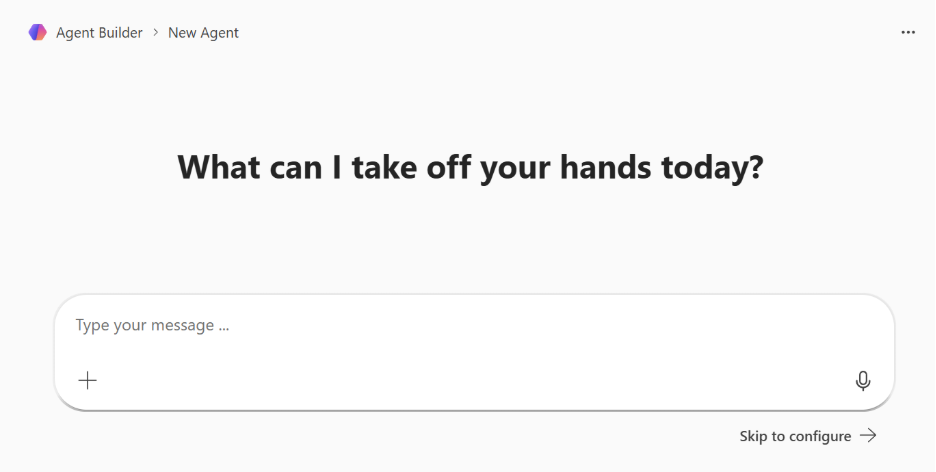
The genuinely useful part is that this stays accessible to business users, not just developers. Teams can adjust which libraries it reads and what tone it uses in responses, while IT steps in separately for anything that needs a deeper integration or a stricter security review.
Why the quality of your SharePoint library decides the outcome
An agent built on Agent Builder is only as good as the content it is grounded in, and this is where most first attempts disappoint. If the onboarding library has three versions of the same policy document, two of them outdated, the agent has no reliable way to know which one is current. It will confidently answer from whichever version ranks highest in its retrieval, which might well be the wrong one.
The same problem shows up with structure. A library of scanned PDFs with no headings, no metadata, and file names like "Document1_final_v3" gives the agent very little to work with beyond raw text. Clean, well tagged content with clear titles and consistent metadata, the kind of groundwork we cover in treating SharePoint as a proper document management system, is what lets the agent actually locate the right passage rather than guessing from a wall of unstructured text. This is not a limitation specific to Agent Builder. It is true of any system that reasons over SharePoint content, which is exactly why cleanup work on the underlying library tends to matter more than the agent configuration itself.
There is also a permissions dimension worth being deliberate about. An agent built on a SharePoint knowledge source respects the access rights already in place, so it will not surface content a given user could not already open. That is reassuring from a security standpoint, but it also means an agent built against a broadly overshared site inherits that oversharing rather than fixing it.
Where a low code build meets its ceiling
Agent Builder is genuinely well suited to a narrow, well scoped use case like the onboarding example above: one clear job, a handful of knowledge sources, simple escalation logic. It gets noticeably harder once the ask grows into something with multiple decision branches, calls to line of business systems beyond SharePoint, or approval workflows that need to trigger real actions rather than just answer questions.
That is usually the point where a team moves from Agent Builder into the fuller Microsoft Copilot Studio, which supports connecting Power Automate flows, custom actions, and more elaborate conversation logic. Microsoft's own guidance frames this as the natural next step for anything needing actions that integrate external services. The low code build is not wasted effort at that point either, since the knowledge sources and initial instructions set up in Agent Builder generally give the more capable version a head start rather than a blank page.
Note: Microsoft briefly rebranded Agent Builder as "Copilot Studio Lite" in late 2025, then reversed that decision. As of mid-2026, Microsoft's own documentation refers to it as Agent Builder again, so treat any source still calling it "Copilot Studio Lite" as slightly out of date.
Business users being able to spin up an agent this easily is exactly why governance needs to be part of the plan from the first build, not bolted on once ten teams have each created their own version of a similar assistant. This is where shadow AI tends to creep in fastest, since agent creation no longer needs a developer or a procurement conversation to happen. Our guide to building and governing Copilot agents at scale covers what that governance actually looks like in practice, and how SharePoint access controls fit into keeping newly built agents safe from day one.
Getting the content right before the agent
If you are planning an Agent Builder project against SharePoint content, the highest leverage work happens before you open the tool at all. Audit the target library for duplicate or outdated documents, fix inconsistent file naming, and add the metadata that helps both people and the agent tell one version from another, the kind of tidy-up we walk through in our piece on organising a document centre properly. An hour spent tidying a library up front regularly saves a week of confused users blaming the agent for answers that were actually the library's fault.
It is also worth testing the agent with the questions people genuinely ask, not the questions you assumed they would ask. Real onboarding questions tend to be oddly specific, about a particular benefit, a particular deadline, and an agent that handles the tidy example questions well can still stumble on the messy real ones. A short pilot with a handful of actual new starters catches that gap far more reliably than internal testing by the people who built the library in the first place.
Set aside time after that pilot to actually review what the agent got wrong, rather than treating a working demo as the finish line. Most of the fixes at this stage are content fixes, not configuration fixes: a missing FAQ page, a policy document that never made it into the library, an answer that needed a link the agent could not find. Feeding those gaps back into the source content, rather than only tweaking the agent's instructions, is what turns a passable first version into something people actually trust enough to stop messaging their colleagues instead.
Where Precio Fits
Deciding between a quick Agent Builder pilot and a fuller Copilot Studio build is rarely obvious from the outside, and getting it wrong in either direction is expensive: over-engineering a simple FAQ agent, or under-building something that needed proper workflow logic from day one.
We help teams make that call properly, starting with the state of the SharePoint content the agent would actually run on, since that decision matters more than which tool you pick. From there, we can scope a first build, tidy the underlying library if it needs it, and set up the governance so a helpful pilot does not quietly turn into an ungoverned agent nobody remembers approving.
If your team is weighing whether a SharePoint grounded Agent Builder project is the right first step, or whether the use case already needs the fuller Copilot Studio platform, get in touch and we will walk through what a sensible first build looks like for your content and your team.
Happy to start a conversation
Share this on

Pär Johansson
Pär works with international business at Precio Fishbone, project delivery & digital services, helping turn complexity into progress and strategy into long-term value. With many years of experience in international business, He is known for building strong relationships and turning plans into meaningful progress. Driven by people, trust and sustainable growth.