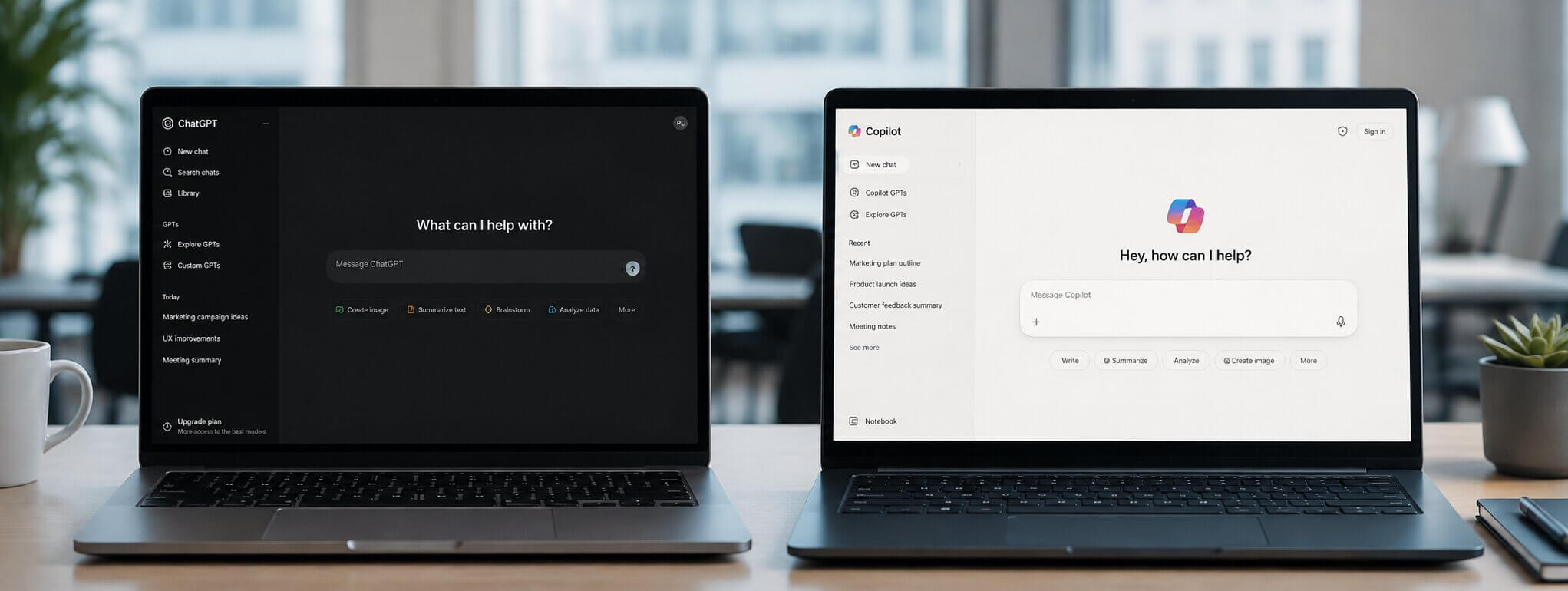
Microsoft 365 Copilot answers from your own files, limited to what each user can already open. ChatGPT answers from general knowledge and sees none of your data unless someone pastes it in. Copilot vs ChatGPT is usually framed as a choice, and most organizations end up running both.
Your organization licensed Copilot. Staff still have ChatGPT open in the next tab. Nothing in Microsoft 365 tells you what moved between the two.
People use whichever tool answers faster, and the ones doing the most work switch between both in the same hour. A feature comparison does not change that behavior.
Microsoft Purview already covers more of this than most teams realize, and its coverage includes ChatGPT. You can see activity in both tools without banning either.
Staff Are Pasting Company Data Into Personal ChatGPT

Someone pastes a customer list into ChatGPT to get it reformatted. It takes four seconds and leaves no trace anywhere in Microsoft 365.
Copilot works inside your tenant, under the permissions the signed-in user already holds. Consumer ChatGPT sits outside all of that. It is a website, and a paste into a website is not a Microsoft 365 event.
Endpoint DLP stops the paste itself. Windows devices onboarded to Purview can warn or block a user who tries to share sensitive information with a third-party generative AI site in the browser. Microsoft's own example is a credit card number being pasted into ChatGPT.
If you do not know what has already gone out, start with discovery. Purview classifies consumer ChatGPT under Other AI apps and detects it through browser activity, which gives you a list of who is using what before you decide which content to classify and block.
We Rolled Out Copilot and People Still Use ChatGPT
The license count says adoption. The usage report says otherwise. Weeks after launch a large share of seats are quiet, and the same people are visibly productive in ChatGPT.
Copilot gets graded on your data. It answers from the documents your organization actually has, so a messy SharePoint produces a mediocre assistant. ChatGPT is never graded that way, because it knows nothing about your company and nobody expects it to.
The variable here is your content. I would not relaunch with a training push, because training does not change what the tool has to read.
If the pilot has already gone cold, pick one team, clean the sites that team asks questions about, and let a working example do the arguing.
Precio Fishbone works on that content layer, which is what decides whether a Copilot rollout holds after the launch week.
Copilot Gives Worse Answers on Our Own Documents
Users arrive with something specific: they asked both tools the same question and ChatGPT gave the better answer.
Look at what each tool had to work with. Copilot answers only from content the person asking can already open, and it will quote a document that is real but out of date with complete confidence. ChatGPT has no such constraint, so it writes something fluent from general knowledge, and a fluent answer is easier to like than a correct one citing a policy nobody has updated since 2023.
Say that to users plainly. One tool is graded on your filing. The other never has to be. If people have already decided Copilot is the weaker tool, pick a question where the underlying content is clean and current, and have them ask it in both.
Nobody Can Tell Which Tool Holds Which Conversation
Prompts and responses in Microsoft 365 Copilot are captured in a unified audit log, stored in the user's mailbox, and reachable through eDiscovery and retention policies.
The line that matters sits inside ChatGPT itself. Purview treats ChatGPT Enterprise as a managed enterprise AI app with its own coverage. Consumer ChatGPT it can detect, and not much more.
If your organization carries eDiscovery obligations, that difference is the entire argument for paying for the enterprise tier.
We Are Paying for Both and Cannot Tell What to Cut
Two AI line items, two renewal dates, and no data showing which one earns its place.
One of those line items may be partly unnecessary. Web-based Copilot Chat is included with an eligible Microsoft 365 subscription at no extra cost, and it answers general questions without touching your tenant data. The paid license buys work-based chat, the version that reads your content. A lot of what staff open ChatGPT for sits in the free half.
The bills are not comparable either. Copilot is an add-on license on top of a qualifying Microsoft 365 plan, and its value depends on how well your content is organized. A ChatGPT subscription carries no such dependency, which makes it look cheaper per head while covering a narrower job.
Before cutting anything, get usage by person. License counts tell you what you bought, not what anyone used.
The obvious cut is Copilot, because its usage looks worst in the first quarter. I would not make that call on a first quarter. Early Copilot usage measures the state of your content, and the organizations that cut on that number usually end up buying it back once the content work is done.
Should We Just Ban ChatGPT?
No. A blocked domain on a corporate laptop stops very little. It moves the same paste to a personal phone, where there is no logging, no DLP, and no record that it happened. You have not removed the risk. You have removed the evidence.
Allow it and instrument it. Purview's Insider Risk Management ships a Risky AI usage policy template, and Endpoint DLP can block the specific data types you care about while leaving the rest of the site open. That combination lets research through and stops customer records.
If a ban is already in place, measure traffic to AI sites before declaring it effective. Most organizations that believe they have stopped this have only stopped seeing it.
The Question That Resolves Copilot vs ChatGPT
The tools will keep changing. Whether you can see what people put into them is the part that stays the same, and it is the part almost nobody has configured.
That visibility is one layer, not two projects. Purview covers Copilot, covers ChatGPT Enterprise, and detects the consumer tools alongside them, so the governance work you do for one is most of the work for the other.
Precio Fishbone works with organizations across the Microsoft stack on exactly that layer: classification, and the reporting that tells you which AI tools are actually in use. If you want to know what your staff are putting into AI tools this month, talk to our team about AI and agent security.
Talk to our expertFrequently Asked Questions
Is Microsoft Copilot just ChatGPT underneath?
No. Microsoft 365 Copilot answers from your organization's content through Microsoft Graph, limited to what the signed-in user can already open. ChatGPT answers from general training data plus whatever the user types into it.
Is it safe to use ChatGPT for work?
It depends which tier. ChatGPT Enterprise can be governed through Microsoft Purview alongside your Copilot activity. Consumer ChatGPT can be detected through browser activity, but not managed the same way.
Can IT see what employees type into ChatGPT?
Partly. Purview covers prompts in ChatGPT Enterprise, detects consumer ChatGPT through browser activity, and Endpoint DLP can warn or block sensitive data being pasted into it from a managed Windows device.
Do we need both Copilot and ChatGPT?
Many organizations end up with both regardless of what the policy says. Decide by data sensitivity rather than preference: work involving customer or regulated data belongs where you have audit and DLP coverage.
Share this on

Pär Johansson
Pär works with international business at Precio Fishbone, project delivery & digital services, helping turn complexity into progress and strategy into long-term value. With many years of experience in international business, He is known for building strong relationships and turning plans into meaningful progress. Driven by people, trust and sustainable growth.