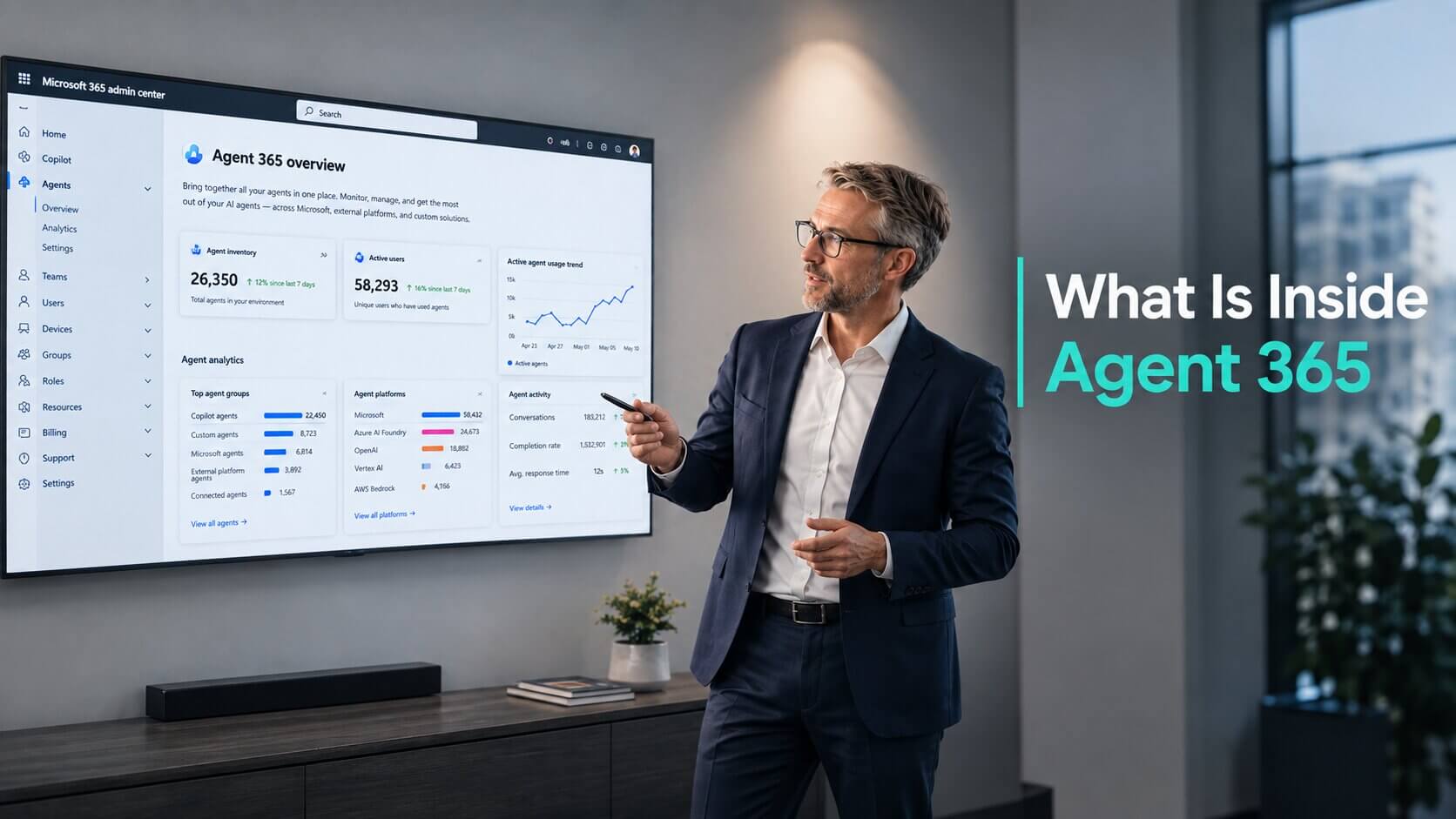
Microsoft announced Agent 365 at Ignite 2025 and first shipped it through the Frontier early-access programme. I wrote about it then as a control plane for governing AI agents at scale, and the idea immediately stood out.
The product did not yet. There were few complete examples in the early material. You could not see what actually happened when a developer brought in an existing agent, or what control remained once that agent ran outside Microsoft.
At Microsoft Build 2026, that changed. Microsoft demonstrated how an agent built outside the Microsoft ecosystem could be connected and governed inside Agent 365. The product reached general availability (GA) in May 2026, so this is now something you deploy, not a preview to watch.
Agent Sprawl Is the Real Governance Problem
I do not think the number of agents is the main issue. The problem is that they arrive through different routes and are managed by different people.
One team may build an agent in Microsoft Copilot Studio. Another may use LangChain on AWS. A business unit may buy a ready-made SaaS agent without involving central IT. Each agent can work perfectly well on its own while creating a governance gap across the organisation.
This problem is already visible when organisations start building and governing Copilot agents at scale. The easier agents become to create, the harder it becomes to maintain consistent ownership, access control and lifecycle processes.
Visibility comes first, but visibility is not control.
I think this is the most important distinction in the Agent 365 proposition. Seeing an agent in a registry does not mean that IT can inspect every model call, restrict every tool or apply the full Microsoft security stack to it.
What is Agent 365
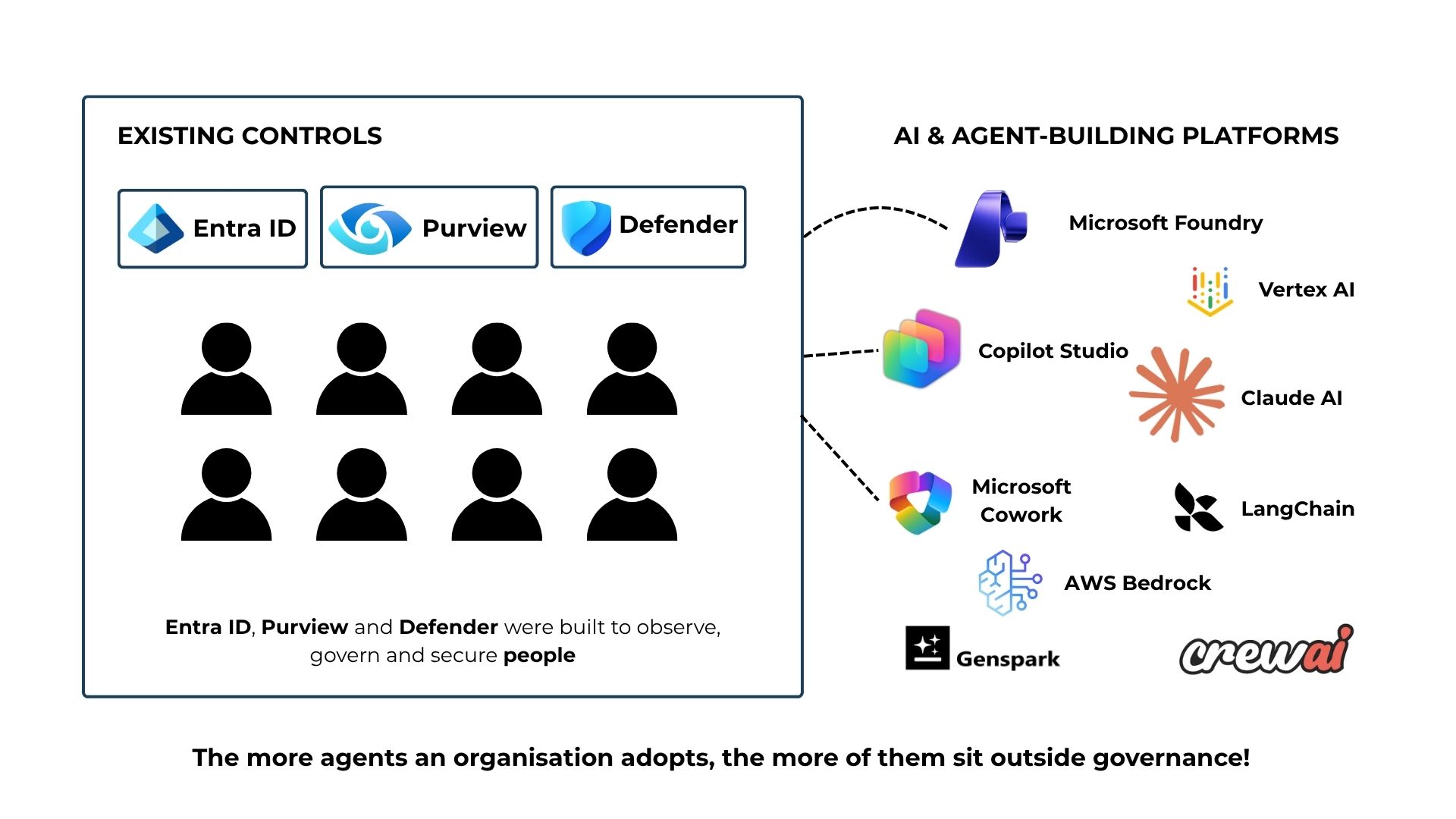
FIGURE 1: Existing control layers on Microsoft.
You already know Entra ID, Purview and Defender. They were built deep and built for one job, managing and protecting the people inside your company. Identity, data and threat, all designed around a human doing the work.
AI adoption brought in a second population those tools were never built for. Agents now read company data, call internal tools and act inside business systems, often at a scale Microsoft's own security stack had no way to manage.
That make Shadow AI risk become real very fast for enterprise. Every agent a team stood up without telling IT is already running inside your company today.
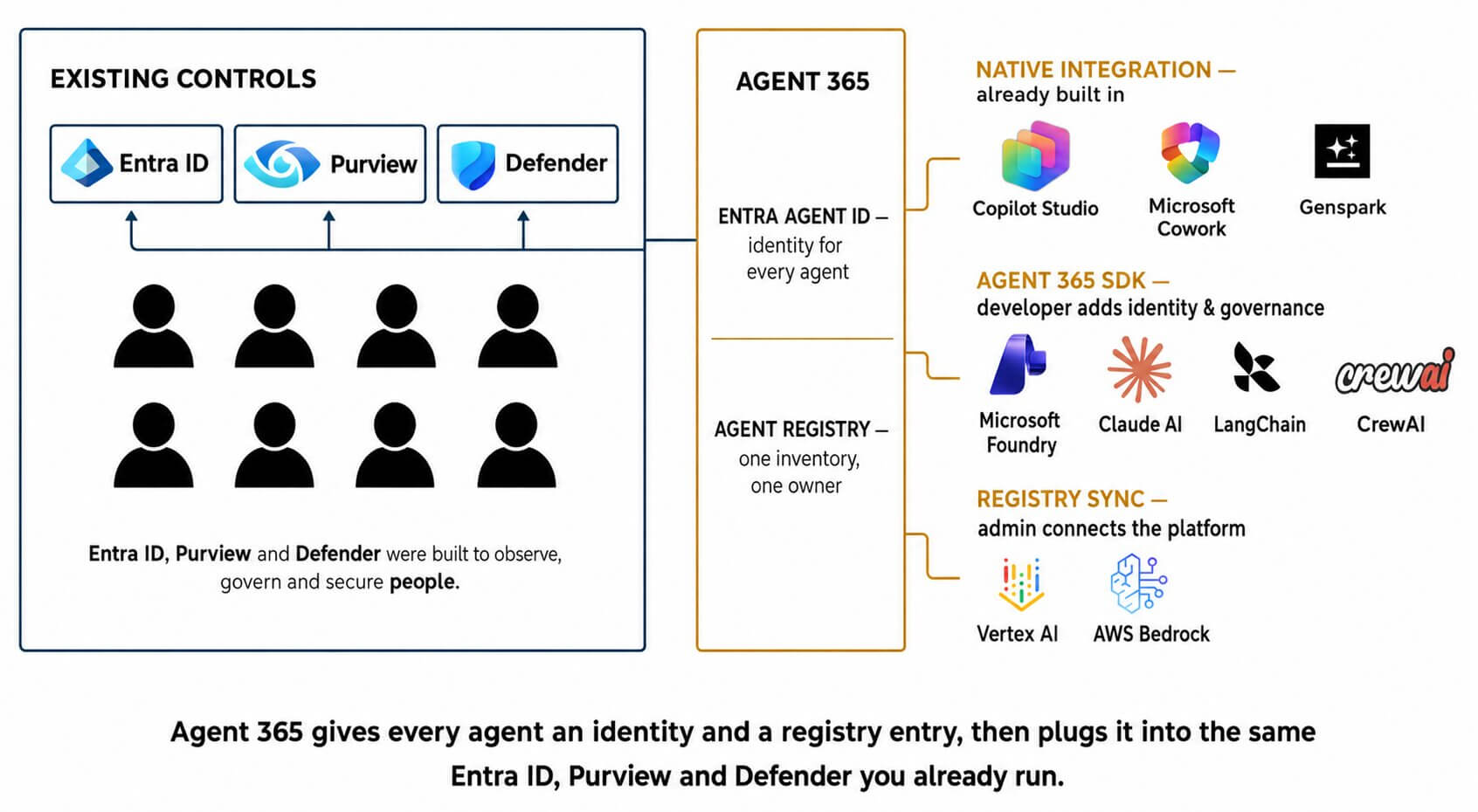
FIGURE 2: Inside of Agent 365.
Agent 365 is Microsoft's attempt to manage agents at the scale a real enterprise actually runs at. Inside Agent 365, you get:
Entra Agent ID, which gives you the ability to assign an identity to every agent you want to manage, similar to how every employee has one.
Agent Registry, which to me is like a big dashboard: a single, unified view of every agent you have registered, with risk signals pulled in from Microsoft Entra, Microsoft Defender and Purview.
Finally, Agent 365 offers three routes (Native integration, Agent 365 SDK, Registry Sync) so you can bring agents, whether Microsoft-built or custom, into Agent 365 and apply enterprise-grade governance and security to them.
Microsoft Build 2026 Clarified Three Routes Into Agent 365
Of all the Agent 365 updates shown at Microsoft Build 2026, this model was the most useful to me.
Earlier Microsoft material established the ambition: one control plane for agents built or acquired across different environments. What remained unclear was how those agents would enter the control plane, who would do the integration work and whether every route would provide the same level of control.
Microsoft showed four sources of agents leading into three practical integration routes: Native Integration, the Agent 365 SDK and Registry Sync.
The route determines who performs the integration, what Agent 365 can see and how deeply the agent can be governed.
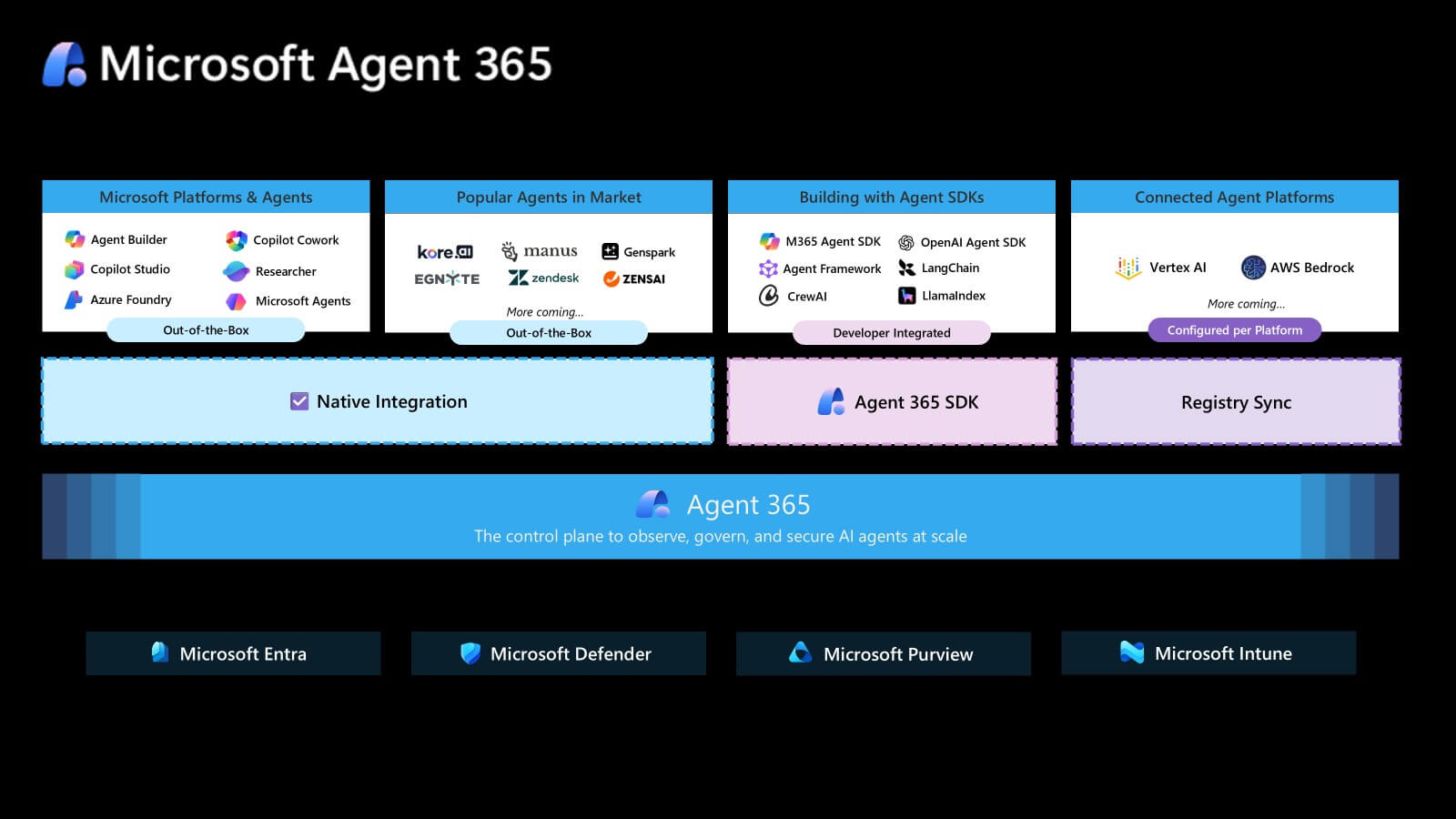
FIGURE 3: Microsoft Build 2026 show 3 sources connecting agent to Agent 365. View full-size image
Native Integration Means the Connection Is Already Built
The first two groups in Microsoft's model, Microsoft Platforms & Agents and Popular Agents in Market, both connect through Native Integration.
Put simply, Microsoft or the agent vendor has already completed the technical connection to Agent 365. The customer does not need to change the source code or add the Agent 365 SDK.
For supported Microsoft agents, this creates an out-of-the-box administration experience. Depending on the integration, activity data, policy templates, security controls and administrative actions can then appear through Agent 365.
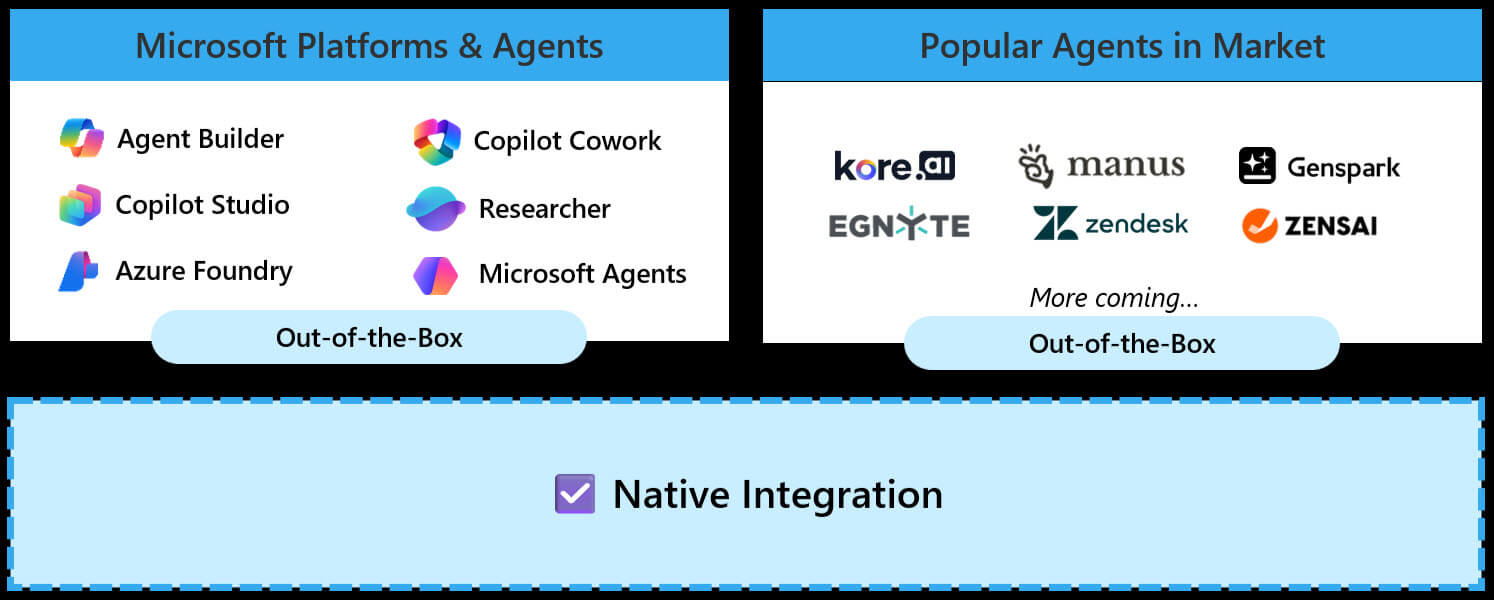
FIGURE 4: Agent 365 Native Integration list Jul 2026.
The same principle applies to supported partner agents. The vendor completes the integration before the customer deploys the agent. Genspark kept its own AI backend while a thin Agent 365 layer connected identity, Microsoft 365 tools, observability, Purview, audit and lifecycle controls.
This is no longer a short list. At general availability the pre-integrated set already spans more than 20 partners, including Adobe, Box, Canva, Celonis, Figma, Lucid, Miro, Sophos, Zendesk and Zoho.
I would not assume that every native integration delivers the same depth. One may expose identity and detailed runtime activity. Another may expose a narrower set of metadata and controls.
Agent 365 SDK: Deeper Control to Custom Agents
The third group covers agents built with the Microsoft 365 Agents SDK. The SDK itself ships for .NET, Python and JavaScript, with prebuilt observability and tooling extensions for those frameworks.
These agents may already work and may already run on Azure, AWS, Google Cloud or another environment. The governance gap is that they sit outside the standard Agent 365 management model.
The Agent 365 SDK is designed to close that gap. It does not build or host the agent, and it does not replace the existing framework. Developers extend the current agent with the Agent 365 capabilities the organisation needs.
Those capabilities can include registration, an Entra-backed identity, observability, notifications, governed Microsoft 365 tools, threat protection and data controls.
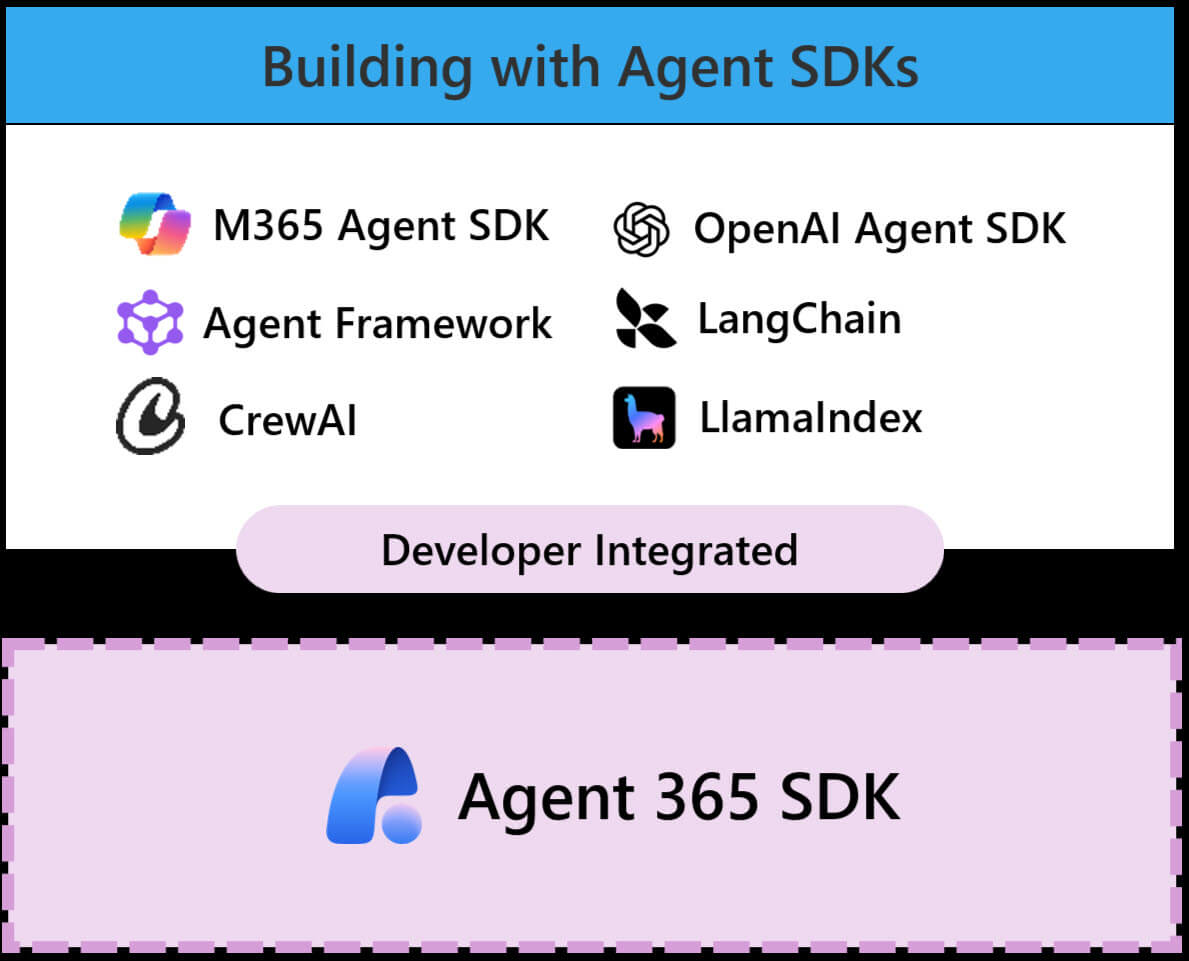
FIGURE 5: Agent 365 SDK list Jul 2026.
This is where I see the strongest value in Agent 365 today. A custom agent that reads company data or performs business actions needs more than a registry entry. It needs identity, traceable behaviour and controlled access to tools.
The SDK still requires development work. I would prioritise production agents, agents shared across teams and agents connected to sensitive or business-critical workflows.
For a deeper view of the architecture, onboarding process and travel-agent example, check how Agent 365 SDK brings custom AI agents under enterprise control.
Registry Sync: Visibility Before Deep Governance
The final group covers agents that already exist on connected external platforms.
Registry Sync connects Agent 365 to the external environment. An administrator authenticates the platform connection, and supported agent metadata is synchronised into the Agent Registry.
Registry Sync brings an agent into view. The Agent 365 SDK brings it deeper under control.
At the time I wrote this blog, Registry sync supports synchronization from the following platforms:
- Amazon Bedrock
- Google Vertex AI
- Salesforce Agentforce
- Databricks Genie
I see clear potential here, but Registry Sync remains in preview and I would not call it a complete governance solution. It is a discovery and classification layer first.
If you want a deeper look at how Registry Sync vs Agent 365 SDK differ in practice and where Registry Sync actually earns its place, our detailed breakdown covers it all: Agent 365 Registry Sync Breakdown
Start With the Agent Landscape, Not Configuration
I would not start an Agent 365 initiative by connecting platforms or installing SDK packages. Start with the agent landscape.
Before choosing an integration route, the organisation needs to know which agents exist, who owns them, what they access and what happens if they fail or behave incorrectly.
For a mixed environment, my sequence is:
- Identify agents and source platforms.
- Confirm ownership and business purpose.
- Classify data access, action scope and business criticality.
- Match each agent to Native Integration, Registry Sync or SDK onboarding.
- Pilot the highest-risk governance gap before scaling.
An AI Readiness Assessment can help structure this review across business priorities, the Microsoft environment, data access, governance and internal ownership.
This avoids two mistakes. First is over-engineering every prototype. And second is ignoring agent governance until an audit or security incident exposes the gap.
Ready to Govern Your AI agents with Agent 365?
The next decision is governance depth: which agents only need visibility, and which require identity, observability and active control?
Work with Precio FishbonePrecio Fishbone works with organisations to move from AI and Microsoft strategy to structured, practical implementation. To discuss what this means for your environment, contact our team.
Frequently Asked Questions
Is Microsoft Agent 365 limited to Microsoft-built agents?
No. It covers Microsoft agents, supported partner agents, custom agents integrated through the SDK and external agents discovered through Registry Sync. The available control differs by integration route.
Does Agent 365 build or host agents?
No. Agent 365 provides management and governance around agents built and hosted through Microsoft or third-party platforms.
Can an Agent 365-managed agent run outside Azure?
Yes. A custom agent can run on AWS, Google Cloud or another endpoint when it is registered and integrated through the appropriate Agent 365 components.
Share this on

Pär Johansson
Pär works with international business at Precio Fishbone, project delivery & digital services, helping turn complexity into progress and strategy into long-term value. With many years of experience in international business, He is known for building strong relationships and turning plans into meaningful progress. Driven by people, trust and sustainable growth.